Start here: what this actually is
This is the whole setup I use to make videos without ever opening an editor. Raw footage goes in one end (a baseball broadcast, a clip of someone's stream, a declassified UFO file) and a finished vertical video comes out the other, captioned and ready to go, then it posts itself to YouTube, Instagram and TikTok on a schedule while I'm doing something else.
I didn't type most of it. I told an AI coding agent (Claude Code) what I wanted and it wrote the scripts, which is also how you'd recreate any of this. That's why the page reads two ways at once. You can follow it to understand how each piece works, or you can grab the prompt at the bottom of each part and have Claude build your own version.
The short list of what you need looks like this. A computer that can run command-line tools, which is any Mac, any Linux box, or a Windows machine with Ubuntu inside it through WSL, which is what I run. A free program called ffmpeg that does the actual video cutting. Python and Node installed. And a handful of free API keys for the parts you can't do on your own machine, like the text-to-speech voice and the upload to YouTube. The next two sections lay all of that out in one place, with a prompt you can paste straight into Claude to get going.
If you've never opened a terminal, the code blocks here are meant to show you what's happening, not to scare you off. You can hand almost all of it to Claude and describe what you want in normal words. Nothing on this page exposes a real key or login either. Anywhere a secret would go you'll see a placeholder like <YOUR_KEY>, and the real values live in one file that never leaves my machine.
Read in order, or jump around
01The kinds of video I make and automate 02What you need: APIs, downloads, and the prompt 03The ffmpeg Cookbook: Reusable Filtergraph Recipes Behind Every Builder 04MLB Statcast Shorts Auto-Factory (two YouTube channels) 05A Kick Streamer: VODs into Brainrot Shorts and Dance Edits 06Remotion Video Factories: React-Rendered Documentary Shorts (a UAP channel) 07Editor-API Experiments: CapCut/JianYing Draft Automation (and the Canva Non-Story) 08The Auto-Poster: One Render, Three Platforms (YouTube + Instagram Reels + TikTok) 09A live-chat AI bot that runs a real browserThe kinds of video I make and automate
Before the how, here's the what. Everything below runs on the same shared parts, but each one is its own little channel with its own audience.
MLB Statcast highlight shorts. Short clips built around a single nasty pitch or a big defensive play, with the radar numbers and spin data laid over the footage. Two YouTube channels run these, and a scheduler posts a fresh one every few hours on its own.
Streamer clip shorts. Vertical clips pulled from a Kick streamer's long VODs, transcribed and captioned in that bouncing word-by-word style, with the swearing muted automatically. A safety check looks over every clip before it can go in the queue.
Beat-synced dance edits. Full-song music videos cut to the beat, where the cuts, zooms and effects land on the downbeats. The builder reads the tempo straight off the audio and places every cut for you.
Highlight reels. The best live moments of a single stream, trimmed down into one watchable piece.
Story videos. Short narrated arcs paced after the leaked MrBeast production guide, the internal write-up on hooks and retention that went around online, applied to the streamer's own footage.
UFO and UAP documentary shorts. Narrated mini-documentaries with an AI voice, rendered in React with a declassified-file look: redacted memos, grainy witness footage, rubber stamps that slam down on screen.
What you need: APIs, downloads, and the prompt
This is the shopping list for the whole stack. You won't need all of it for any single channel, so skip what doesn't apply to the one you're building. Most of these services have a free tier that's plenty to start with.
Every API in one place
These are the outside services the builders call. Each row links to that service's own docs, where you sign up and get a key.
| Service / API | What it does here | Docs |
|---|---|---|
| YouTube Data API v3 | Primary upload target. videos.insert via multipart/related POST (uploadType=multipart, part=snippet,status); search.list (forMine) for same-title dedup; thumbnails.set, playlists.insert, playlistItems.insert, channels.list (verify auth), videos.delete (take down a bad cut). | docs ↗ |
| Google OAuth 2.0 (installed/desktop app) | Auth for YouTube. Authorization-code flow with access_type=offline + prompt=consent to mint a refresh token; refresh_token grant for each upload. Loopback-server flow and a WSL-safe manual paste/exchange flow. | docs ↗ |
| Instagram Graph API, Content Publishing (Reels) | Cross-post to Reels. Resumable upload: create REELS container (upload_type=resumable) -> POST raw bytes to rupload.facebook.com -> media_publish. Uses a long-lived FB Page token (FB_PAGE_TOKEN) + IG_USER_ID. | docs ↗ |
| TikTok Content Posting API | Cross-post to TikTok feed via PULL_FROM_URL (TikTok fetches a public MP4 URL), then poll publish/status until PUBLISH_COMPLETE. OAuth 2.0 with PKCE (S256), refresh-token grant, scopes user.info.basic,video.upload. | docs ↗ |
| ffmpeg / ffprobe | Pre-upload media sanity: ffprobe compares audio vs video stream duration; ffmpeg hard-cuts a frozen audio-only tail (stream copy + -t <video_dur>). Also extracts frames for vision-gate contact sheets. | docs ↗ |
| Discord REST API (channels/messages) | Cron job result notifications to an #errors channel after each IG post (success/failure with remaining-queue count). | docs ↗ |
| faster-whisper (CTranslate2 Whisper) | Word-level + segment-level speech-to-text for every clip; drives karaoke caption timing, swear-bleep span detection, and the lip-sync word-onset beat grid. Run with CUDA float16 (cuDNN/cuBLAS DLLs injected on Windows), CPU int8 fallback. | docs ↗ |
| librosa | Audio beat-tracking (librosa.beat.beat_track) to build the per-song beat grid for the dance AMV, and RMS energy analysis (librosa.feature.rms) to locate the song's loudest bar so the kaleidoscope/hero payoff lands on the drop. | docs ↗ |
| FFmpeg (libx264 + libass + filtergraphs) | All cutting, composition, ASS subtitle burning, vstack/xstack grids, zoompan punches, boxblur frosted margins, kaleidoscope mirror stacks, gif-burst overlays, audio bleep mixing and loudnorm. ASS (Advanced SubStation Alpha) is the caption format. | docs ↗ |
| yt-dlp | Fetches copyright-safe filler b-roll (cute-animal compilations) for split-screen shorts, and sources reaction-gif / meme beds for the AMV sticker layer. | docs ↗ |
| Google Vertex AI, Gemini (generateContent) | Multimodal art-director / QA advisor: ingests rendered QA montage grids (base64 inline images) and gives concrete edit feedback. Auth via Application Default Credentials. | docs ↗ |
| Kick Clips API | Source of the clip harvest, public stream clips with real view counts and ULID ids feed clip_library.json (the ranked, vibe-tagged reaction pool). | docs ↗ |
| Tenor GIF API | Reaction-meme cutaway pool (memes2/) popped over highlight beats and the AMV sticker scatter. | docs ↗ |
| MLB StatsAPI, feed/live | Per-game pitch-level truth: GET /api/v1.1/game/{gamePk}/feed/live → liveData.plays.allPlays[].playEvents[] gives playId, pitchData.coordinates (x0/z0 release, pX/pZ plate, pfxX/pfxZ movement), pitchData.breaks (breakHorizontal + breakVerticalInduced = real fan-facing break), startSpeed, extension, plateTime, strikeZoneTop/Bottom; matchup.pitcher/batter. Used to build the tunnel diagram, resolve a playId to (atBatIndex,pitchNumber), and read game state (inning/score). No official public doc. | , |
| MLB StatsAPI, playByPlay | GET /api/v1/game/{gamePk}/playByPlay → allPlays[].result.description (regex-parsed for outfield assists since runners[].credits is empty in this sim feed) and about.captivatingIndex (tiebreak). No official public doc. | , |
| MLB StatsAPI, schedule / teams | GET /api/v1/schedule?sportId=1&startDate=&endDate=&gameType=R to enumerate Final games in a window; GET /api/v1/teams?sportId=1 to map team id → abbreviation. No official public doc. | , |
| MLB StatsAPI, game content (same-day highlights) | GET /api/v1/game/{gamePk}/content → highlights.items[].playbacks[] exposes broadcast highlight mp4s on mlb-cuts-diamond.mlb.com (FORGE assets) the SAME day a game ends, while Savant's per-play clips lag ~1 day. Used by hand to source the walk-off comp's footage (not called in-script). No official public doc. | , |
| Baseball Savant, Statcast search CSV | GET /statcast_search/csv?... (params: all=true, hfSea=YEAR|, hfGT=R|, hfPT=PITCHTYPE|, type=details, player_type, pitchers_lookup[]=ID, game_date_gt/lt, pitch_speed_min/max). Returns pitch-level rows: release_speed, release_spin_rate, pfx_x/pfx_z, launch_speed, estimated_woba_using_speedangle, game_pk, at_bat_number, pitch_number, player_name(=batter). The discovery layer for spin/velo/movement rankings. | docs ↗ |
| Baseball Savant, sporty-videos (film room) | GET /sporty-videos?playId={playId} returns an HTML page; the per-play clip mp4 is scraped from the <source src=...mp4> tag (with &#xNN; / & un-escaped). This is how every lane fetches its actual footage. | docs ↗ |
| Baseball Savant, arm-strength leaderboard | GET /leaderboard/arm-strength?type=outfield&csv=true → fielder_name + arm_of (season max arm strength mph), joined by name to label outfield-assist shorts (shown as the fielder's season arm, NOT this throw's velo, which no source provides). | docs ↗ |
| Sandlot DuckDB (Statcast Parquet) | Local data/sandlot.duckdb / data/pitches_{year}.parquet (~6M pitches/season). scan_statcast.py opens it read-only and runs three SQL lanes in one pass to pre-select candidates (hardest-hit, lowest-xwOBA hits, highest-spin swinging Ks) before bridging to playIds via StatsAPI. | docs ↗ |
| Pillow (PIL) | Renders the data insets as RGBA PNGs overlaid into the margin: the pitch-tunnel Bezier diagram, the catcher's-view strike-zone contact plot, and the walk-off stat card. | docs ↗ |
| YouTube Data API v3, videos.insert | Upload target (via a shared scripts/yt-shorts-upload.py + per-channel OAuth account). Snippet carries title/description/tags/categoryId=17 (Sports); status public, selfDeclaredMadeForKids=false. | docs ↗ |
| ElevenLabs TTS (perceived-velo VO) | Optional narration mp3 passed via --vo; the builder paces the video to the VO duration and appends a slow-mo replay so total length covers the narration. | docs ↗ |
| Remotion (core) | React-based programmatic video framework: Composition/Sequence/AbsoluteFill, useCurrentFrame, interpolate, spring, Audio/OffthreadVideo/Img, staticFile, registerRoot | docs ↗ |
| @remotion/cli | Headless render + studio CLI: remotion compositions, remotion render, remotion studio; configured via remotion.config.ts | docs ↗ |
| @remotion/media-utils, getAudioDurationInSeconds | Reads VO mp3 length inside calculateMetadata to compute durationInFrames so the video auto-fits the narration | docs ↗ |
| @remotion/google-fonts | Module-level font loading (Oswald/Special Elite/Share Tech Mono); Remotion waits for fonts before rendering. Weights MUST be restricted to avoid dozens of font requests per render | docs ↗ |
| ElevenLabs Text-to-Speech (with-timestamps) | Generates VO audio + char-level alignment in one call (POST /v1/text-to-speech/{voiceId}/with-timestamps); alignment arrays are chunked into caption cues. Adam voice id pNInz6obpgDQGcFmaJgB | docs ↗ |
| @remotion/captions | Caption helpers used in the ohtani long-form variant (words→lines) alongside the ElevenLabs alignment | docs ↗ |
| FFmpeg (filtergraph) | Audio mixing (amix/adelay/stream_loop) for the drone/SFX bed; in the ufo-shorts variant, the entire video: blurred-fill vertical framing, zoompan Ken-Burns, drawtext captions, doc-inset overlays | docs ↗ |
| CapCutAPI (sun-guannan/CapCutAPI) | Open-source Python tool that programmatically builds CapCut/JianYing drafts; exposes a Flask HTTP API and an MCP server. The core of this experiment. | docs ↗ |
| pyJianYingDraft | Underlying library (vendored into the repo) that models and serializes CapCut/JianYing's native draft_info.json, tracks, segments, materials, keyframes, plus a Windows UI-automation export controller. | docs ↗ |
| Model Context Protocol (MCP) | Protocol used by mcp_server.py to expose 11 editing tools (create_draft, add_video, add_text, save_draft, ...) over stdio JSON-RPC to an AI client. | docs ↗ |
| CapCut / JianYing (剪映) desktop app | The target editor. The generated draft folder is copied into its drafts directory; the final MP4 export happens here (manually, or via the orphaned UI-automation controller). | docs ↗ |
| Alibaba Cloud OSS (oss2 SDK) | Optional draft hosting: when is_upload_draft=true, the zipped draft is uploaded and a 24h pre-signed URL is returned. Credentials are config-only and were not populated here. | docs ↗ |
| Flask | HTTP server framework for capcut_server.py (the REST interface mirroring the MCP tools). | docs ↗ |
| Canva Connect MCP (claude.ai connector) | Available-but-unused. Surfaces only as a deferred MCP connector (authenticate/complete_authentication, OAuth-gated). It is NOT wired into any pipeline, see gotchas for the truth. | docs ↗ |
| ffmpeg filters (ffmpeg-filters.html) | Every filtergraph node used here: scale/crop/pad/setsar, boxblur, eq, overlay, drawbox, drawtext, ass, zoompan, split, vstack/hstack, concat (filter), volume, atempo, asetpts/setpts, adelay, amix, aresample, loudnorm, and the lavfi synth sources (color, noise, sine, anoisesrc, anullsrc). | docs ↗ |
| ffmpeg CLI (ffmpeg.html) | Seeking (-ss before vs after -i), -t hard-cut, stream mapping (-map 0:v:0/0:a:0), -stream_loop, the concat demuxer (-f concat -safe 0), -movflags +faststart, encoder flags (libx264/aac/pcm_s16le). | docs ↗ |
| ffprobe (ffprobe.html) | Reading stream-level duration (-select_streams a:0/v:0 -show_entries stream=duration) vs container duration (-show_entries format=duration), the basis of the frozen-tail guard. | docs ↗ |
| faster-whisper | Word-level timestamps (word_timestamps=True) that drive both the karaoke caption timing and the swear-bleep span list. | docs ↗ |
| Advanced SubStation Alpha (.ass / libass) | Subtitle format burned in via the ass filter; the [V4+ Styles] and [Events] Format lines, override tags (\fad, \t, \fscx, \pos, \c, \p1 vector drawings). No stable canonical spec URL, left blank rather than fabricated. | , |
| Playwright | Drives a real logged-in Chrome so the bot can read the live chat off the page and type replies. There is no API for posting to a YouTube live chat, so the bot uses the page like a person. | docs ↗ |
| Claude Code CLI | The brain. Run in print mode, it reads one chat message plus the context and writes back a single reply. Uses the CLI login, so no API key. | docs ↗ |
| ffmpeg | Cuts the live audio into short chunks for transcription, and grabs a video frame so the bot can glance at the screen. | docs ↗ |
| YouTube live chat | Not an API. The actual web page the bot drives like a human, reading messages and clicking send. | , |
What to install on your machine
The free, local tools. On Windows I run these inside Ubuntu through WSL. On a Mac use Homebrew, and on Linux use your package manager. Pick the line that matches your system.
ffmpeg, the video engine
winget install Gyan.FFmpeg     # Windows
brew install ffmpeg            # macOS
sudo apt install ffmpeg        # Debian / Ubuntu
Python tools, for transcribing, beat detection and data
pip install yt-dlp faster-whisper librosa duckdb requests pillow numpyyt-dlp grabs source videos and audio. faster-whisper turns speech into caption timings, and it runs much faster on an NVIDIA GPU with CUDA installed, falling back to the CPU if you don't have one. librosa finds the beat for the dance edits. duckdb holds the pitch database. requests talks to the APIs.
Node and Remotion, for the React-rendered documentaries
npm create video@latest # scaffold a Remotion projectPlaywright, for the live-chat browser bot
npm i playwright
npx playwright install chromium
CapCut draft API, optional (read the CapCut section for the catch)
# clone the open-source CapCutAPI project from GitHub, then:
pip install -r requirements.txt
Or just point Claude at it
You don't have to wire any of this up by hand. Open Claude Code in an empty folder, paste a prompt like the one below, and answer the questions it asks. It will tell you which keys and tools to install, write the scripts, and test them with you.
I want to build an automated short-form video pipeline. It should take a source video, cut a vertical 1080x1920 clip, and burn in captions from a transcript, then render the result with ffmpeg. After that it should upload the finished file to YouTube using the Data API v3 with an OAuth refresh token I'll provide. Before you write any code, tell me exactly which API keys and command-line tools I need and how to install them. I'm on <YOUR_OS>. Then build it step by step and run it on a test clip with me.
For a specific format, copy the matching starter prompt from the bottom of its section below. Each one describes that builder closely enough that Claude can rebuild it from scratch.
The ffmpeg Cookbook: Reusable Filtergraph Recipes Behind Every Builder
Every video factory in this workspace (MLB Statcast shorts, UAP documentary shorts, Kick/stream "brainrot" highlight reels) comes down to the same handful of ffmpeg filtergraphs reapplied. None of these pipelines touch a GUI editor or a heavyweight framework. They shell out to /usr/bin/ffmpeg from Python, building one big -filter_complex string per clip. I pulled the cross-cutting recipes out into this standalone cookbook so I can lift any one of them into a new builder.
The problem every recipe solves is taking arbitrary 16:9 source footage and turning it into a polished vertical 1080x1920 Short, with burned captions, on-clip stat overlays, mixed VO/music/SFX, and a clean tail, reproducibly and headlessly on both WSL Linux and Windows. The same shapes keep coming back: a blurred-fill or vstack split to reach 9:16 without stretching, a "frosted" translucent margin for captions and stat cards, libass .ass burn-in for animated karaoke, volume/sine gating for swear censorship, setpts/atempo for speed ramps, overlay ... enable='between(t,..)' for time-gated picture-in-picture, and a ffprobe-driven freeze-tail guard at the upload choke-point.
I've written the recipes de-f-stringed (the source is Python f-strings) as copy-pasteable commands with placeholder values. The load-bearing literals (boxblur=24:1, [email protected]:t=fill, eval=frame, s=WxH) are preserved exactly, because those specific values are what I tuned over many render cycles.
APIs & services
| Service / API | What it does here | Docs |
|---|---|---|
| ffmpeg filters (ffmpeg-filters.html) | Every filtergraph node used here: scale/crop/pad/setsar, boxblur, eq, overlay, drawbox, drawtext, ass, zoompan, split, vstack/hstack, concat (filter), volume, atempo, asetpts/setpts, adelay, amix, aresample, loudnorm, and the lavfi synth sources (color, noise, sine, anoisesrc, anullsrc). | docs ↗ |
| ffmpeg CLI (ffmpeg.html) | Seeking (-ss before vs after -i), -t hard-cut, stream mapping (-map 0:v:0/0:a:0), -stream_loop, the concat demuxer (-f concat -safe 0), -movflags +faststart, encoder flags (libx264/aac/pcm_s16le). | docs ↗ |
| ffprobe (ffprobe.html) | Reading stream-level duration (-select_streams a:0/v:0 -show_entries stream=duration) vs container duration (-show_entries format=duration), the basis of the frozen-tail guard. | docs ↗ |
| faster-whisper | Word-level timestamps (word_timestamps=True) that drive both the karaoke caption timing and the swear-bleep span list. | docs ↗ |
| Advanced SubStation Alpha (.ass / libass) | Subtitle format burned in via the ass filter; the [V4+ Styles] and [Events] Format lines, override tags (\fad, \t, \fscx, \pos, \c, \p1 vector drawings). No stable canonical spec URL, left blank rather than fabricated. | , |
How it's built, step by step
- Probe the source with ffprobe (dimensions + duration). Decide the 9:16 strategy: blurred-fill (centered undistorted clip over a blurred copy of itself) for near-full-frame looks, or a vstack split (cam on top, b-roll/duplicate on the bottom) for two-up layouts.
- Cut each window with a TWO-STAGE seek: fast keyframe
-ss (start-3)before-i, then accurate-ss 3 -t lenafter-i. Re-encode every cut to IDENTICAL params (libx264, yuv420p, 30fps, 1080x1920, aac/pcm) so a later concat demuxer can-c copy. - Transcribe each cut with faster-whisper (word_timestamps=True, language='en', vad off for short/noisy clips). Keep the word list for both karaoke timing and swear-span detection.
- Build the .ass subtitle file in UTF-8 with the Name-column-correct header. Strip emoji from text. Compute Dialogue start/end against MEASURED cumulative beat offsets (ffprobe each rendered intermediate, not the planned lengths).
- Compose the frame per clip: blurred-fill OR vstack to reach 1080x1920 -> drawbox frosted margin (navy scrim + gold divider) -> drawtext stat lines -> overlay PIP/stat-card/meme insets gated with enable='between(t,A,B)'.
- Censor audio: mute the voice across each swear span with volume='if(between(t,S,E)+...,0,1)':eval=frame and amix a 1kHz sine gated to the same spans (a clean beep instead of silence).
- Join segments: concat DEMUXER (
-f concat -i list.txt -c copy) when intermediates are byte-compatible, or the concat FILTER (concat=n=N:v=1:a=1, re-encodes) when inputs differ. - Mix audio in an AUDIO-ONLY pass: adelay-place each VO block, duck the music bed (volume=0.2), amix with normalize=0, then loudnorm=I=-14:TP=-1.5:LRA=11 ONCE -> .m4a. (Decoupled from the ass video graph to dodge the doubled-audio bug.)
- Final video pass: burn subs with
-vf ass=file.ass:fontsdir=fonts, mux the premade audio with-c:a copy -shortest, write-movflags +faststart. - At the upload choke-point, run the freeze-tail guard: compare audio vs video stream durations; if audio is longer, hard-cut both with
-t <video_dur> -c copyand re-probe the container duration to confirm the dead tail is gone.
Under the hood
Recipe 1, Vertical 9:16 blurred-fill (the letterbox killer)
ffmpeg -i in.mp4 -filter_complex "\
[0:v]split=2[bg][fg];\
[bg]scale=1080:1920:force_original_aspect_ratio=increase,crop=1080:1920,boxblur=24:2,eq=saturation=1.5:brightness=-0.04[bgb];\
[fg]scale=1080:-2[fgs];\
[bgb][fgs]overlay=(W-w)/2:(H-h)/2[v]" \
-map "[v]" -map 0:a -c:v libx264 -preset veryfast -crf 20 -pix_fmt yuv420p -c:a aac -b:a 160k out.mp4
Why: fills a 9:16 frame from 16:9 source without black bars or stretching. split makes two copies of the input; one is scaled-to-cover + blurred + darkened as a background, the other is scaled to width (-2 keeps even-numbered height) and centered on top with overlay=(W-w)/2:(H-h)/2.
Recipe 2, Split-screen vstack (cam top, looping b-roll bottom)
ffmpeg -i cam.mp4 -stream_loop -1 -i broll.mp4 -filter_complex "\
[0:v]scale=1080:960:force_original_aspect_ratio=increase,crop=1080:960,setsar=1[top];\
[1:v]scale=1080:960:force_original_aspect_ratio=increase,crop=1080:960,setsar=1[bot];\
[top][bot]vstack=inputs=2[v]" \
-map "[v]" -map 0:a -shortest -c:v libx264 -preset veryfast -crf 20 -pix_fmt yuv420p -c:a aac out.mp4
Why: two stacked 1080x960 halves = 1080x1920. -stream_loop -1 loops the b-roll; -shortest ends the output when the cam audio ends. CRITICAL: an uncapped -stream_loop -1 with no -shortest/-t produces an infinite file (an overnight run hit 6.8 GB with no moov atom, which looked like a "freeze").
Recipe 3, Frosted bottom caption margin (blurred video + navy scrim, not flat black)
ffmpeg -i clip.mp4 -loop 1 -i statcard.png -filter_complex "\
[0:v]split=2[va][vb];\
[va]scale=1080:1920:force_original_aspect_ratio=increase,crop=1080:1920,boxblur=24:1,eq=brightness=-0.28:saturation=0.55,setsar=1[bg];\
[vb]scale=1080:1200:force_original_aspect_ratio=increase:flags=lanczos,crop=1080:1200,setsar=1[scaled];\
[bg][scaled]overlay=0:0:shortest=1[v0];\
[v0]drawbox=x=0:y=1200:w=1080:h=720:[email protected]:t=fill,\
drawbox=x=0:y=1198:w=1080:h=5:[email protected]:t=fill,\
drawtext=fontfile=/usr/share/fonts/truetype/dejavu/DejaVuSans-Bold.ttf:text='98.4 MPH   SLIDER':fontcolor=0xa5dfff:fontsize=34:x=44:y=1404:[email protected]:shadowx=2:shadowy=2[v1];\
[1:v]format=rgba,scale=510:340[card];\
[v1][card]overlay=548:1340:shortest=1[v]" \
-map "[v]" -map 0:a -c:v libx264 -preset medium -pix_fmt yuv420p -c:a aac -b:a 192k out.mp4
Why: the clip is pinned to the top 1080x1200; the bottom 720px band is the SAME blurred/darkened footage showing through a translucent navy drawbox scrim (@0.66 alpha gives a glass tint rather than opaque black) with a thin gold divider just above it. Stat drawtext lines and a stat-card PNG overlay then live in that frosted panel. This was the user-approved "premium" look across the K-comp and nasty-tunnel MLB builders.
Recipe 4, ASS burn-in and the Name-column comma bug
Canonical CORRECT header (the [Events] Format: line includes Name, and Dialogue carries the matching empty slot Cap,,):
[Script Info]
ScriptType: v4.00+
PlayResX: 1080
PlayResY: 1920
WrapStyle: 0
ScaledBorderAndShadow: yes

[V4+ Styles]
Format: Name, Fontname, Fontsize, PrimaryColour, SecondaryColour, OutlineColour, BackColour, Bold, Italic, Underline, StrikeOut, ScaleX, ScaleY, Spacing, Angle, BorderStyle, Outline, Shadow, Alignment, MarginL, MarginR, MarginV, Encoding
Style: Cap, Anton, 92, &H00FFFFFF&, &H000000FF&, &H00000000&, &H64000000&, -1, 0, 0, 0, 100, 100, 0, 0, 1, 6, 2, 5, 70, 70, 0, 1

[Events]
Format: Layer, Start, End, Style, Name, MarginL, MarginR, MarginV, Effect, Text
Dialogue: 0,0:00:01.00,0:00:03.00,Cap,,0,0,0,,{\fad(40,40)}HELLO WORLD
Burn it onto video:
ffmpeg -i in.mp4 -vf "ass=captions.ass:fontsdir=fonts" -c:v libx264 -crf 18 -pix_fmt yuv420p -c:a copy out.mp4THE BUG: the [Events] Format: line MUST list the Name (actor) column between Style and MarginL, and every Dialogue: must carry the matching empty field (the Cap,, double-comma). If Format: omits Name but the Dialogue keeps the empty slot (or vice-versa), the comma count shifts and the stray comma is parsed as the first character of Text, so every caption renders as ,POV / ,NOW. fontsdir=fonts is required so libass finds bundled TTFs (e.g. Anton/Bebas) on Windows; without it libass falls back to a generic sans. Animated karaoke is done entirely with override tags: {\\fad(40,40)} for fades, {\\t(0,250,\\fscx112\\fscy112)} for a pop-in scale, per-word {\\c&H0000F0FF&\\fscx122\\fscy122}WORD{\\c&H00FFFFFF&\\fscx100\\fscy100} for the highlighted active word.
Recipe 5, Audio swear-censor: volume gate + 1kHz beep
ffmpeg -i clip.mp4 -filter_complex "\
sine=f=1000:r=48000:d=30[bp];\
[0:a]volume='if(between(t,1.20,1.46)+between(t,3.10,3.40),0,1)':eval=frame[vv];\
[bp]volume='if(between(t,1.20,1.46)+between(t,3.10,3.40),0.35,0)':eval=frame[bb];\
[vv][bb]amix=inputs=2:normalize=0:duration=first[a]" \
-map 0:v -map "[a]" -c:v copy -c:a aac -b:a 160k out.mp4
Why: the between(t,S,E)+between(t,S2,E2) expression ORs each swear span. volume='if(...,0,1)':eval=frame zeros the voice exactly across those windows, while a parallel 1kHz sine is gated to 0.35 over the SAME spans and mixed back, so you hear a clean beep instead of a dropout. eval=frame is mandatory; without it volume evaluates the expression once at init and the gate never moves (the single most-dropped detail). Span timestamps come from a word-level whisper transcript, padded ~60ms each side. (For caption text, the matching trick is F**K-style starring of the same word list.)
Recipe 6, Slow-mo and speed ramps (setpts + atempo chain)
# ratio = source_len / output_len ; >1 = speed up, <1 = slow down.  Example: 2.5x faster
ffmpeg -i in.mp4 -filter_complex "\
[0:v]setpts=0.4000*PTS[v];\
[0:a]atempo=2.0,atempo=1.25[a]" \
-map "[v]" -map "[a]" -c:v libx264 -pix_fmt yuv420p -c:a aac out.mp4
Why: video speed is setpts=(1/ratio)*PTS. Audio uses atempo, which only accepts 0.5–2.0, so any ratio outside that range is decomposed into a chain (2.5 → atempo=2.0,atempo=1.25; for half-speed slow-mo, setpts=2.0*PTS + atempo=0.5). Pair with reverse/areverse, negate (invert), hflip (mirror), or hue=H=2*PI*t for the "fx montage" effects.
Recipe 7, Ken Burns push-in (zoompan)
ffmpeg -i in.mp4 -filter_complex "\
[0:v]scale=1080:-2:flags=lanczos,setsar=1,\
zoompan=z='min(1.001+0.000700*on,1.09)':x='iw/2-(iw/zoom/2)':y='ih/2-(ih/zoom/2)':d=1:s=1080x1920:fps=30,\
format=yuv420p[v]" -map "[v]" -an out.mp4
Why: a slow programmatic push-in adds motion to static or slow footage (used for the UAP doc-photo "fast cut" feel). GOTCHA: zoompan's size arg uses an x: s=1080x1920. The colon form s=1080:1920 is a filterchain parse error. d=1 advances one input frame per output frame so on (output frame index) drives the zoom curve.
Recipe 8, Time-gated PIP / inset overlays
# Always-on stat-card inset pinned into the margin:
ffmpeg -i base.mp4 -loop 1 -i tunnel.png -filter_complex "\
[1:v]format=rgba,scale=510:340[card];\
[0:v][card]overlay=548:1340:shortest=1[v]" -map "[v]" -map 0:a out.mp4

# Reaction/recreation PIP shown ONLY between t=4.2s and t=9.8s, white-bordered:
ffmpeg -i base.mp4 -stream_loop -1 -i react.mp4 -filter_complex "\
[1:v]scale=760:428,setsar=1,pad=768:436:4:4:white,format=yuv420p[pip];\
[0:v][pip]overlay=(W-w)/2:560:enable='between(t,4.20,9.80)'[v]" \
-map "[v]" -map 0:a -t 12 out.mp4
Why: overlay=X:Y:enable='between(t,A,B)' shows a second source only during a window. That's the basis of stat-card insets, "AI RECREATION" PIP boxes, and reaction-meme cutaways. pad=...:white draws a border; -loop 1 for a still PNG, -stream_loop -1 + -t/-shortest for a looping clip. To gate multiple inset windows in one pass, chain overlay nodes, each with its own enable=.
Recipe 9, Freeze-tail guard (container-vs-video, -t hardcut)
# Detect: video vs audio stream duration
ffprobe -v error -select_streams v:0 -show_entries stream=duration -of csv=p=0 out.mp4
ffprobe -v error -select_streams a:0 -show_entries stream=duration -of csv=p=0 out.mp4
# If audio runs >~0.3s longer than video, the player holds the LAST frame while audio plays = frozen tail.
# Fix: hard-cut BOTH streams at the video duration, lossless copy:
ffmpeg -y -i out.mp4 -t 28.640 -map 0:v:0 -map 0:a:0 -c copy -movflags +faststart fixed.mp4
# Verify the muxed container is now ~= video duration:
ffprobe -v error -show_entries format=duration -of csv=p=0 fixed.mp4
Why: when audio outlasts video the tail freezes. -c copy -shortest is NOT reliable here. With stream copy it often leaves the long audio in and the tail still freezes. An explicit -t <video_dur> ceiling cuts both streams cleanly. Always confirm against format=duration (the real muxed length), because a stream's duration tag can be stale after a copy (ffmpeg carries the source stream duration over even when fewer packets are muxed). This guard fires fail-open (any probe/encode hiccup returns the original file) so tooling trouble never blocks a legit upload, and it caught a ~111-file batch that had shipped with a ~1.8s frozen tail.
Recipe 10, Concat: demuxer (copy) vs filter (re-encode)
# DEMUXER — near-instant, but EVERY input must share codec/res/fps/pixfmt/timebase:
printf "file 'seg01.mkv'\nfile 'seg02.mkv'\nfile 'seg03.mkv'\n" > list.txt
ffmpeg -f concat -safe 0 -i list.txt -c copy out.mkv

# FILTER — re-encodes, tolerates differing inputs:
ffmpeg -i a.mp4 -i b.mp4 -i c.mp4 -filter_complex \
"[0:v][0:a][1:v][1:a][2:v][2:a]concat=n=3:v=1:a=1[outv][outa]" \
-map "[outv]" -map "[outa]" -c:v libx264 -preset medium -pix_fmt yuv420p -c:a aac -b:a 192k -movflags +faststart out.mp4
Why: the demuxer is the fast path but requires byte-compatible segments, which is exactly why these pipelines render normalized intermediates (identical 1080x1920/30fps/yuv420p) before joining. The concat filter joins clips with mismatched parameters at the cost of a full re-encode; use it when each segment was composed independently.
Recipe 11, Audio bed mixing (adelay + amix) and the loudnorm decoupling
ffmpeg -i base.mkv -i vo1.mp3 -i vo2.mp3 -i bed.mp3 -filter_complex "\
[1:a]adelay=2200|2200[n1];\
[2:a]adelay=12000|12000[n2];\
[3:a]volume=0.2[bed];\
[0:a][n1][n2][bed]amix=inputs=4:duration=longest:normalize=0[m];\
[m]loudnorm=I=-14:TP=-1.5:LRA=11,aresample=48000[a]" \
-map "[a]" -c:a aac -b:a 192k audio.m4a
Why: adelay=ms|ms (one value per channel) time-places each VO block at its offset; amix ... normalize=0 preserves the levels you set (default normalize=1 divides by input count and crushes loudness); a single loudnorm=I=-14:TP=-1.5:LRA=11 hits the YouTube loudness target. CRITICAL BUG: running a many-input amix+loudnorm in the SAME filtergraph as an ass video filter makes ffmpeg DOUBLE the audio (output ~2x length, half speed, mis-tagged bitrate). Fix = render audio in this audio-only pass to .m4a, then a second pass burns subs on video and muxes with -c:a copy -shortest. loudnorm also resamples up, so always append aresample=48000.
Recipe 12, Procedural transition assets via lavfi (license-free SFX/visuals)
# TV-static video flash:
ffmpeg -f lavfi -i "color=c=gray:s=1080x1920:r=30:d=0.6" -vf "noise=alls=100:allf=t+u,format=yuv420p" -c:v libx264 -pix_fmt yuv420p static.mp4
# White-noise burst:
ffmpeg -f lavfi -i "anoisesrc=d=0.5:c=white:a=0.6:r=48000" -c:a pcm_s16le static.wav
# Silent stereo bed for a still-image title card:
ffmpeg -f lavfi -i "anullsrc=r=48000:cl=stereo" -t 3 -c:a pcm_s16le silence.wav
Why: lavfi synth sources generate copyright-safe SFX and visual transitions (static flash, white-noise riser, the 1kHz censor beep, silent beds for -loop 1 PNG cards) entirely procedurally, so there's no asset licensing and the output is fully reproducible. Overlay the static clip on a "rewind" cut with [v][stat]overlay=0:0:enable='between(t,C-0.06,C+0.28)'.
Recipe 13, Two-stage seek (fast keyframe + accurate decode)
ffmpeg -ss 3722.000 -i source.mp4 -ss 3.000 -t 6.0 \
-c:v libx264 -preset veryfast -crf 18 -r 30 -c:a aac -b:a 160k -avoid_negative_ts make_zero cut.mp4
Why: a single -ss BEFORE -i is a fast keyframe seek but lands seconds off (captions then grab adjacent speech); a single -ss after -i is frame-accurate but slow over a long file. Two-stage = fast keyframe seek to (start-3) before the input, then a short accurate decode-seek of 3s after the input, which is fast AND frame-accurate. Note: over a multi-hour VOD even this drifts because the planning transcript's timestamps are non-linear, so windows stay approximate.
Recipe 14, Tile-grid "multiply" (split → hstack → vstack)
ffmpeg -i in.mp4 -filter_complex "\
[0:v]split=9[a][b][c][d][e][f][g][h][i];\
[a]scale=360:640[a2];[b]scale=360:640[b2];[c]scale=360:640[c2];\
[d]scale=360:640[d2];[e]scale=360:640[e2];[f]scale=360:640[f2];\
[g]scale=360:640[g2];[h]scale=360:640[h2];[i]scale=360:640[i2];\
[a2][b2][c2]hstack=3[r0];[d2][e2][f2]hstack=3[r1];[g2][h2][i2]hstack=3[r2];\
[r0][r1][r2]vstack=3[v]" -map "[v]" -map 0:a out.mp4
Why: split into N×N streams, scale each to a (1080/N)×(1920/N) cell, hstack each row then vstack the rows, which gives the meme "multiply into infinity" effect. Step N up over successive segments (1→2→4→6...) for an escalating grid.
Recipe 15, Pre-crop a burned-in overlay (chat column) before reframing
ffmpeg -i cam.mp4 -filter_complex "\
[0:v]crop=iw*0.78:ih:iw*0.22:0,scale=-2:1200,crop=1080:1180,setsar=1[v]" -map "[v]" -map 0:a out.mp4
Why: stream VODs often have mobile chat burned into the lower-left of the frame. crop=iw*0.78:ih:iw*0.22:0 drops the left 22% (the chat column) BEFORE scaling/centering, so leaked chat never reaches the cam crop. Use even widths (scale=-2:H) to stay yuv420p-legal. If the source is 720p, this also upscales to fill.
Gotchas & hard-won lessons
- The ASS
[Events] Format:line MUST include theNamecolumn (...Style, Name, MarginL...) AND everyDialogue:line must carry the matching empty slot (theCap,,double-comma). A mismatch shifts the comma count and the stray comma is parsed into Text, so every caption renders as,POV/,NOW. volume='if(between(t,S,E),0,1)'does nothing without:eval=frame. By defaultvolumeevaluates the expression once at init, so the censor gate never moves. It's the most-dropped detail in the whole cookbook.-c copy -shortestdoes NOT reliably trim a frozen audio-only tail; with stream copy it often leaves the long audio in. Use an explicit-t <video_dur>ceiling, and verify againstformat=duration(a stream'sdurationtag can be stale after a copy).- Running
amix+loudnormin the SAME filtergraph as theassvideo filter makes ffmpeg DOUBLE the audio (2x length, half speed). Decouple: render mixed+normalized audio in an audio-only pass to.m4a, then a second pass burns subs and muxes with-c:a copy -shortest. loudnormresamples its output (bumps to 192k/odd rate); always appendaresample=48000after it.amixdefaults tonormalize=1, which divides by the input count and crushes your carefully-set levels, so passnormalize=0whenever you've already set per-inputvolume.- An uncapped
-stream_loop -1with no-t/-shortestwrites an INFINITE file (a meme-GIF overlay ran overnight to 6.8 GB and never wrote a moov atom, which looked exactly like a freeze). - zoompan's size argument is separated with
xrather than:.s=1080x1920is valid;s=1080:1920is an 'Invalid argument' filterchain parse failure. - On Windows,
print()of an emoji crashes with UnicodeEncodeError (console is cp1252). Callsys.stdout.reconfigure(encoding='utf-8', errors='replace')and write the.assfile withencoding='utf-8'; strip emoji from caption text with a codepoint-range regex before composing. - Never edit text/ass files through PowerShell Get/Set-Content. The cp1252 roundtrip double-encodes BOM-less UTF-8 (mojibake). Write with explicit UTF-8 or via WSL.
- A single
-ssbefore-iis fast but off by seconds; after-iit's accurate but slow. Use the two-stage seek (-ss start-3 -i src -ss 3 -t len) for fast AND frame-accurate cuts. -2inscale(e.g.scale=1080:-2) keeps the auto dimension even, which yuv420p requires; plain-1can yield an odd height and fail the encode.- The concat DEMUXER (
-c copy) silently produces glitchy joins if segments differ in codec/fps/timebase. Normalize all intermediates to identical params first, or fall back to the concat FILTER (which re-encodes). - For very short (<3s) or noisy clips, disable whisper VAD. It drops tiny utterances and you get empty captions; pass the known line as
initial_promptto bias the transcription.
Prompts to build it yourself
The actual kind of instructions you'd hand an AI coding agent (Claude Code) to build this from scratch.
Build a Python ffmpeg helper that reformats any 16:9 clip into a 1080x1920 Short by centering the undistorted video over a blurred, darkened copy of itself (split + scale-to-cover + boxblur + overlay), then burns word-level karaoke captions from a faster-whisper transcript using a libass .ass file. Make sure the Events Format line includes the Name column.
Add a 'frosted margin' template: pin the clip to the top 1080x1200, fill the bottom 720px with the blurred video under a translucent navy drawbox scrim plus a thin gold divider, then drawtext stat lines and overlay a stat-card PNG into that margin.
Write a swear-censor that takes word-level timestamps and, for each swear span, mutes the voice with volume='if(between(t,S,E)+...,0,1)':eval=frame while mixing a 1kHz sine gated to the same spans, then remux the video losslessly.
Add a frozen-tail guard before upload: use ffprobe to compare audio vs video stream durations and, if audio is longer, hard-cut both streams at the video duration with -t and -c copy, then re-probe the container duration to confirm the dead tail is gone. Make it fail open.
MLB Statcast Shorts Auto-Factory (two YouTube channels)
I built a Python + ffmpeg pipeline that turns free MLB data into vertical YouTube Shorts and auto-posts a subset on a cron. Each short follows one content lane, meaning a hook with a data "payoff" revealed late, and they all share one visual template: a clean broadcast clip pinned to the top of a 1080x1920 frame, with all text and a data inset living in a frosted bottom margin (blurred-and-darkened video showing through a navy scrim, a gold divider line, and a stacked drawtext block). I don't use cold-open title cards. The stat lands late as the payoff instead of being given away on the cover.
The lanes are: nasty-tunnel / UNHITTABLE (a filthy putaway pitch + a pitch-tunnel diagram), outfield-assist / GUNNED DOWN (an outfielder throwing a runner out + a strike-zone contact inset), perceived-velocity / PERCEIVED VELOCITY (radar reading vs. how fast it "felt" given the pitcher's extension, optionally paced to an ElevenLabs VO with a slow-mo replay), walk-off (a multi-scene debut comp ending on a stat card), plus countdown comps: nastiest-week Top-6, single-pitcher career top-spin, and single-game K-comp. Three more lanes are scanned straight out of the Sandlot DuckDB in one pass: HOW HARD?! (hardest-hit balls → reveal exit velo), EARNED OR LUCKY? (cheap hits with tiny xwOBA → reveal xwOBA), and UNHITTABLE (nastiest swinging-K → reveal pitch + RPM).
Only two lanes actually fire on the cron. A 4-hour dispatcher (post_sportsstats_4h.py) alternates nasty ↔ assist, picking the opposite of whatever was posted last (read from a shared posted.txt ledger) and falling back to the other lane if the chosen one has nothing fresh. The other lanes are one-offs or reach a channel through a manual pending/ queue that the dispatcher drains first. A shared, playId-keyed ledger guarantees the same clip is never posted to both channels.
APIs & services
| Service / API | What it does here | Docs |
|---|---|---|
| MLB StatsAPI, feed/live | Per-game pitch-level truth: GET /api/v1.1/game/{gamePk}/feed/live → liveData.plays.allPlays[].playEvents[] gives playId, pitchData.coordinates (x0/z0 release, pX/pZ plate, pfxX/pfxZ movement), pitchData.breaks (breakHorizontal + breakVerticalInduced = real fan-facing break), startSpeed, extension, plateTime, strikeZoneTop/Bottom; matchup.pitcher/batter. Used to build the tunnel diagram, resolve a playId to (atBatIndex,pitchNumber), and read game state (inning/score). No official public doc. | , |
| MLB StatsAPI, playByPlay | GET /api/v1/game/{gamePk}/playByPlay → allPlays[].result.description (regex-parsed for outfield assists since runners[].credits is empty in this sim feed) and about.captivatingIndex (tiebreak). No official public doc. | , |
| MLB StatsAPI, schedule / teams | GET /api/v1/schedule?sportId=1&startDate=&endDate=&gameType=R to enumerate Final games in a window; GET /api/v1/teams?sportId=1 to map team id → abbreviation. No official public doc. | , |
| MLB StatsAPI, game content (same-day highlights) | GET /api/v1/game/{gamePk}/content → highlights.items[].playbacks[] exposes broadcast highlight mp4s on mlb-cuts-diamond.mlb.com (FORGE assets) the SAME day a game ends, while Savant's per-play clips lag ~1 day. Used by hand to source the walk-off comp's footage (not called in-script). No official public doc. | , |
| Baseball Savant, Statcast search CSV | GET /statcast_search/csv?... (params: all=true, hfSea=YEAR|, hfGT=R|, hfPT=PITCHTYPE|, type=details, player_type, pitchers_lookup[]=ID, game_date_gt/lt, pitch_speed_min/max). Returns pitch-level rows: release_speed, release_spin_rate, pfx_x/pfx_z, launch_speed, estimated_woba_using_speedangle, game_pk, at_bat_number, pitch_number, player_name(=batter). The discovery layer for spin/velo/movement rankings. | docs ↗ |
| Baseball Savant, sporty-videos (film room) | GET /sporty-videos?playId={playId} returns an HTML page; the per-play clip mp4 is scraped from the <source src=...mp4> tag (with &#xNN; / & un-escaped). This is how every lane fetches its actual footage. | docs ↗ |
| Baseball Savant, arm-strength leaderboard | GET /leaderboard/arm-strength?type=outfield&csv=true → fielder_name + arm_of (season max arm strength mph), joined by name to label outfield-assist shorts (shown as the fielder's season arm, NOT this throw's velo, which no source provides). | docs ↗ |
| Sandlot DuckDB (Statcast Parquet) | Local data/sandlot.duckdb / data/pitches_{year}.parquet (~6M pitches/season). scan_statcast.py opens it read-only and runs three SQL lanes in one pass to pre-select candidates (hardest-hit, lowest-xwOBA hits, highest-spin swinging Ks) before bridging to playIds via StatsAPI. | docs ↗ |
| ffmpeg / ffprobe | All rendering: filter_complex graphs (scale/crop/boxblur/eq, overlay, drawbox, drawtext), concat for multi-segment comps, libx264 yuv420p + aac. ffprobe reads clip duration to size each segment. | docs ↗ |
| Pillow (PIL) | Renders the data insets as RGBA PNGs overlaid into the margin: the pitch-tunnel Bezier diagram, the catcher's-view strike-zone contact plot, and the walk-off stat card. | docs ↗ |
| YouTube Data API v3, videos.insert | Upload target (via a shared scripts/yt-shorts-upload.py + per-channel OAuth account). Snippet carries title/description/tags/categoryId=17 (Sports); status public, selfDeclaredMadeForKids=false. | docs ↗ |
| ElevenLabs TTS (perceived-velo VO) | Optional narration mp3 passed via --vo; the builder paces the video to the VO duration and appends a slow-mo replay so total length covers the narration. | docs ↗ |
How it's built, step by step
- SCAN/DISCOVER: pick candidates per lane. The Statcast-search lanes (nasty-week, pitcher-topspin) pull a Baseball Savant CSV filtered by season/pitch-type/date and rank by release_spin_rate or 12*hypot(pfx_x,pfx_z) movement. The three DuckDB lanes (scan_statcast.py) query data/sandlot.duckdb directly. Outfield assists get regex-parsed from StatsAPI playByPlay descriptions, and perceived-velo is computed from feed/live extension. Each scanner writes data/<lane>/recent.json (or a date-keyed file) in a shared play schema.
- RESOLVE PLAY → IDS: for a chosen play, hit StatsAPI feed/live to map playId → (atBatIndex+1, pitchNumber), pull every pitch of the at-bat's trajectory, and tag is_target on the exact pitch so the tunnel/zone inset highlights the right one rather than whatever ended the AB.
- FETCH FILM (playId-keyed cache): fetch_film() scrapes baseballsavant.mlb.com/sporty-videos?playId=… for the mp4 and writes it to raw_{idx:02d}_{playId[:8]}.mp4. The playId hash in the filename is load-bearing, because the rotating 'recent' datasets reshuffle which play sits at index N, so an index-only glob would serve stale footage under new text.
- RENDER INSET PNG: Pillow draws the lane's data graphic. That's a zoomed pitch-tunnel (Bezier release→plate curves, target pitch gold/thick) for nasty/K/topspin, a catcher's-view strike-zone dot plot for assist/perceived-velo, or a full-frame stat card for walk-off.
- COMPOSE SEGMENT (frosted template): one ffmpeg filter_complex does it all. Split the clip, build a blurred/darkened 1080x1920 background plus a sharp 1080x1200 top crop overlaid at y=0, lay a navy drawbox scrim and gold divider across y=1200..1920, stack the drawtext margin block (centered gold kicker header, then star name / stat line / gold payoff / matchup+date), and overlay the inset PNG into the bottom-right of the margin.
- CONCAT (countdown comps): the multi-K / Top-N / multi-scene builds render each segment, then concat=n=N:v=1:a=1 worst→best (or scene order) so the video climaxes on #1. Encoded libx264 4M/yuv420p, +faststart.
- POST: post_sportsstats_4h.py runs every 4h. It drains any manual pending/ short first, otherwise it alternates nasty↔assist (opposite of last in posted.txt, fallback to the other lane). The chosen lane's poster picks the freshest un-posted short from review/batch_*, generates a playbook-compliant title (title_ledger dedupes phrasing across both channels), writes the YouTube snippet sidecar, and uploads via the channel's OAuth account. The shared playId-keyed posted.txt prevents cross-channel reposts.
Under the hood
The frosted-margin filtergraph (the shared look)
Every single-clip lane composes with the same ffmpeg filter_complex. The clip is split: one copy is blown up to fill 1080x1920 and heavily blurred+darkened as the background, the other is scaled to a sharp 1080x1200 top panel. A semi-opaque navy drawbox from y=1200 down forms the frosted margin (the blurred video still shows through it), capped by a thin gold divider, then the text block is drawn into it.
[0:v]trim=start=1.00:duration=DUR,setpts=PTS-STARTPTS,fps=30,split=2[va][vb];
[va]scale=1080:1920:force_original_aspect_ratio=increase,
    crop=1080:1920,boxblur=24:1,eq=brightness=-0.28:saturation=0.55,setsar=1[bg];
[vb]scale=1080:1200:force_original_aspect_ratio=increase:flags=lanczos,
    crop=1080:1200,setsar=1[scaled];
[0:a]atrim=start=1.00:duration=DUR,asetpts=PTS-STARTPTS,aresample=44100[atrim];
[1:v]format=rgba,scale=510:340,trim=duration=DUR,setpts=PTS-STARTPTS[tunnel];
[bg][scaled]overlay=0:0:shortest=1[v0];
[v0]
drawbox=x=0:y=1200:w=1080:h=720:[email protected]:t=fill,
drawbox=x=0:y=1198:w=1080:h=5:[email protected]:t=fill,
drawtext=fontfile=DejaVuSans-Bold.ttf:text='UNHITTABLE':
  fontcolor=0xffd166:fontsize=32:x=(w-text_w)/2:y=1222:[email protected]:shadowx=2:shadowy=2
[v1];
[v1]drawtext=...:text='PITCHER NAME':fontsize=44:x=44:y=1286...,
    drawtext=...:text='88 MPH   SWEEPER':fontcolor=0xa5dfff:fontsize=30:x=44:y=1342...,
    drawtext=...:text='3,348 RPM':fontcolor=0xffd166:fontsize=50:x=44:y=1404...,   # gold payoff
    drawtext=...:text='vs HITTER':x=44:y=1470...,
    drawtext=...:text='18\" BREAK':x=46:y=1520...,
    drawtext=...:text='LAA @ HOU   |   2026-06-09':[email protected]:x=46:y=1562...
[v2];
[v2][tunnel]overlay=548:1340:shortest=1[v]
Key constants: brand gold 0xffd166, info-blue 0xa5dfff, scrim [email protected]. The clip is trimmed start=1.0 to skip the windup; DUR = min(12, max(4, clip_dur-SS)). Long victim names are auto-shrunk with vs_fs = max(26, min(46, int(500/(0.68*len(vs))))) so they never run under the inset (which starts at x≈548). Margin text sits at y=1222..1604, lifted off the very bottom, which is hidden behind the Shorts progress bar / action buttons.
drawtext escaping (load-bearing)
def _esc(s):
    return (s.replace("\\","\\\\").replace(":","\\:").replace("'","").replace("%","\\%"))
Names are also ASCII-folded (unicodedata.normalize("NFKD", ...)) so accents don't break the fontfile.
Savant discovery, real CSV param set
SAVANT_CSV = "https://baseballsavant.mlb.com/statcast_search/csv"
# nasty-week, per breaking/offspeed pitch type, swinging strikes in a date window:
params = {"all":"true","hfSea":"2026|","hfGT":"R|","type":"details",
          "hfPT":"SL|","game_date_gt":"2026-05-18","game_date_lt":"2026-05-24"}
# per-pitcher career top-spin:
params = {"all":"true","hfGT":"R|","hfSea":"2018|","player_type":"pitcher",
          "pitchers_lookup[]":"545333","type":"details"}
url = SAVANT_CSV + "?" + urllib.parse.urlencode(params, safe='|')   # keep the | delimiters
Movement = 12 * math.hypot(pfx_x, pfx_z) inches. A SPIN ranking excludes {CH,FS,FO,KN,EP}, since high spin on those is a Statcast misclassification rather than skill. The real fan-facing break shown on screen comes from the feed's breaks object (hypot(breakHorizontal, breakVerticalInduced)), NOT the smaller pfx metric.
Film fetch + playId-keyed cache
def fetch_film(play_id, dest):
if dest.exists() and dest.stat().st_size > 100_000: return True
html = GET(f"https://baseballsavant.mlb.com/sporty-videos?playId={play_id}")
m = re.search(r'<source[^>]*src="([^"]+)"', html)
url = re.sub(r'&#x([0-9a-fA-F]+);', lambda x: chr(int(x.group(1),16)), m.group(1)).replace('&','&')
dest.write_bytes(GET_bytes(url))
# Cache path MUST carry the playId hash — never a bare index glob:
clip = clips_dir / f"raw_{idx:02d}_{(play_id or 'x')[:8]}.mp4"This is the fix for the wrong-footage-under-right-text desync: because fetch_film skips download when a same-named file exists and the 'recent' datasets re-order plays every scan, an index-only name would silently reuse a prior batch's clip.
Sandlot DuckDB, the three lanes in one pass
con = duckdb.connect(str(Path.home()/"sandlot/data/sandlot.duckdb"), read_only=True)

# HOW HARD?!  — hardest-hit balls, reveal exit velo
"select game_pk, game_date, batter, inning, home_team, away_team, events, "
"round(launch_speed,1) ls from pitches where {win} and launch_speed >= 106.0 "
"order by launch_speed desc limit 60"

# EARNED OR LUCKY? — cheap hits (tiny xwOBA that fell), reveal xwOBA
"select ... round(estimated_woba_using_speedangle,3) xw from pitches where {win} "
"and events in ('single','double','triple') "
"and estimated_woba_using_speedangle <= 0.130 "
"order by estimated_woba_using_speedangle asc limit 50"

# UNHITTABLE — nastiest swinging strikeout, reveal pitch + RPM
"select ... pitch_name, round(release_speed,1) velo, round(release_spin_rate) rpm "
"from pitches where {win} and events='strikeout' and description ilike '%swinging%' "
"and pitch_name in ('Sweeper','Curveball','Slider',...) and release_spin_rate is not null "
"order by release_spin_rate desc limit 50"
{win} is game_date >= DATE 'YYYY-MM-DD' (rolling window) or game_year = YYYY. Each row's lane_score/payoff is baked in, then bridged to a StatsAPI playId (find_batted matches launchSpeed within 0.6; find_strikeout takes the K-pitch playId) for film fetch.
Perceived velocity (radar vs. felt)
RUBBER = 60.5
avg_ext = mean(extension over THIS league's feed)   # league-relative, not hardcoded 6.0
pv_ratio = startSpeed * (RUBBER - avg_ext) / (RUBBER - extension)   # constant-velo ratio
pv_time  = ((RUBBER - avg_ext) / plateTime) * 0.681818              # ft/s -> mph cross-check
gap = pv_ratio - startSpeed     # "+2.6 MPH OVER RADAR"
With --vo, the clip plays once at speed then a slow-mo replay (setpts=slowfac*(PTS-STARTPTS), no frame interpolation / loop seam), slowfac chosen so total length ≈ VO duration; audio is the VO only, apad-padded.
Replay-cut auto-detector (long fan-interference clips)
detect_replay_cuts.py runs select='gt(scene,0.3)',showinfo, keeps cuts ≥ FLOOR(13s), clusters timestamps within 0.6s; a cluster of ≥2 = a dissolve/graphic = replay start → cut there. Ambiguous long clips get a safe DEFAULT_CAP=26s flagged for spot-check. Overrides are written playId-keyed.
Title playbook (baked into the posters)
40-55 chars, 4-7 words, real player last name (SEO), ONE all-caps power phrase, ONE emoji at the END, one ! max and no ?, never lead with a digit. #Shorts goes in the DESCRIPTION (title hashtags steal feed space), 5-6 tags = 2 general + 2 niche + 1 player. Titles are drawn from a randomized template pool and run through title_ledger.pick_unique(... keys=...) so no phrasing repeats back-to-back and no title is reused across either channel. Example renders: Suzuki Guns Down Herrera at Third 🎯, Skubal's Slider Froze Witt 🥶.
Gotchas & hard-won lessons
- playId-keyed clip cache is mandatory.
fetch_filmskips download if a same-named file exists, and the rotating 'recent' datasets re-order which play is index N every scan, so a bareraw_{idx}_*.mp4glob serves stale footage under fresh text (wrong-game-under-right-stat). Always name clipsraw_{idx:02d}_{playId[:8]}.mp4; this bug was fixed across assist/FI/countdown/factory once it was found. - Only nasty + assist auto-post. The 4h dispatcher rotates only those two; walk-off, perceived-velo, topspin, nastiest-week and game-kcomp are one-offs or reach a channel via the manual
pending/queue, which the dispatcher drains BEFORE the auto lanes (a queued short pre-empts the slot). - Resolve the date by content, never by index. A wrong date is worse than none. Older batches recover the game date via a UNIQUE batter+event match in the source dataset, NOT source+play_index, because the ~3-day rolling window re-points the index to a different play.
- Use the feed
breaksobject for on-screen break, notpfx.hypot(breakHorizontal, breakVerticalInduced)is the real fan-facing break in inches; thepfx_x/pfx_zplate coords are a different, smaller metric and must NOT be multiplied by 12 the same way. - Exclude CH/FS/FO/KN/EP from any SPIN ranking. High spin on changeups/splitters/forks/knuckles is a Statcast sensor glitch/misclassification, so ranking by single-pitch max spin biases the top of the list toward exactly those errors.
- This sim-2026 feed ships empty runners[].credits, so outfield assists must be recovered by regex on the play description ('<Runner> out at home on the throw, right fielder <Fielder> to ...'); only 'on the throw' outs count, and 'challenged' plays are dropped.
- No cold-open title cards. The big center-text hook read as a spoiler/'title screen' and was removed from all shorts. The stat is revealed late in the frosted margin as the payoff (the
hookcodepath is left commented in build_fi_short). - Same-day footage: Baseball Savant's per-play /sporty-videos lags ~1 day, but StatsAPI /game/{gpk}/content serves the broadcast highlight mp4s (mlb-cuts-diamond FORGE assets) the same day, which is how the walk-off debut comp got footage on game day.
- Margin text must sit high (y≈1222..1600). The very bottom of a Short is covered by the progress bar, title, and action-button column; anything drawn there is invisible.
- Trim the windup. Every segment starts
trim=start=1.0(when clip ≥ 4s) to open closer to the pitch/contact; first 1-3s decide retention. Margin tracksmin(12, max(4, dur-1)). - Chunk big Savant CSV pulls. A full-season
type=detailsquery can exceed the ~25K-row cap; the topN builder scans the year in two date halves and warns at ≥24,900 rows. - Real font paths required for drawtext + Pillow: /usr/share/fonts/truetype/dejavu/DejaVuSans-Bold.ttf (FB) and DejaVuSans.ttf (FR). ffmpeg/ffprobe pinned to /usr/bin (static builds segfault on some HLS inputs in this environment).
Prompts to build it yourself
The actual kind of instructions you'd hand an AI coding agent (Claude Code) to build this from scratch.
Build a Python builder that makes a vertical 1080x1920 MLB short from a single Baseball Savant film-room clip: pin the clip to the top as a sharp 1080x1200 panel, fill the rest with a heavily blurred + darkened copy of the same clip, and lay a frosted bottom margin (navy drawbox scrim + thin gold divider) holding a stacked drawtext block: centered gold kicker, pitcher name, velo+pitch, a big gold stat payoff, the victim, and matchup/date. Do it all in one ffmpeg filter_complex. No title card; the stat is the late payoff.
Add a nasty-pitch lane: query the Baseball Savant statcast_search CSV per breaking/offspeed pitch type for swinging strikes in a date window, rank by release_spin_rate (exclude changeups/splitters/forks/knuckles as spin-sensor glitches), resolve each to a StatsAPI feed/live playId, draw a pitch-tunnel diagram (Bezier release→plate curves with the putaway pitch highlighted gold) with Pillow, and overlay it into the bottom-right of the frosted margin. Cache the fetched clip by playId hash, never by bare index.
Write a 4-hour cron dispatcher that alternates two YouTube Shorts lanes (nasty and outfield-assist) by posting the opposite of whatever was posted last (read from a shared posted.txt ledger), falling back to the other lane if the chosen one has nothing fresh, and draining a manual pending/ queue first. Use a shared playId-keyed ledger so the same clip is never posted to both channels, and generate titles from a randomized template pool deduped against a cross-channel title ledger.
Add a Sandlot DuckDB scanner that opens data/sandlot.duckdb read-only and runs three lanes in one pass: HOW HARD?! (launch_speed >= 106 desc), EARNED OR LUCKY? (singles/doubles/triples with estimated_woba_using_speedangle <= 0.130 asc), and UNHITTABLE (swinging-strikeout breaking balls by release_spin_rate desc). Bridge each candidate to a StatsAPI playId via playByPlay (match launchSpeed within 0.6, or take the K-pitch playId) and write a recent.json with the lane payoff and score baked in.
A Kick Streamer: VODs into Brainrot Shorts and Dance Edits
A two-pronged short-form video factory I built for streamer / Streamer, a Kick streamer. It turns multi-hour stream VODs into vertical (1080×1920) content for YouTube Shorts / TikTok. Both engines share one clip library and one safety system.
1. Brainrot shorts + EDL highlight reels. I pull the loudest moments out of a VOD, transcribe them word-by-word with faster-whisper, burn karaoke captions plus meme cutaways and SFX, and render 9:16. The mature engine is vod3/build_highlight.py, a JSON-EDL-driven builder where each "beat" declares a source window, framing, FX, narrative caption, emphasis words, reaction memes, animated graphic stamps, and SFX. Captions and audio both run through a multi-tier censor (swears → starred + audio-bleeped; slurs blanked; a crisis/negativity blocklist that *drops the whole beat*).
2. Beat-synced "Go" dance AMV (ohtani_supercut/build_supercut_go_streamer.py). This is a forked Chemical Brothers "Go" supercut engine that cuts a pool of ~70 short dance clips on the musical beat (librosa beat-tracking), with escalating FX (zoom punches, hue shifts, RGB-split accents, 2×2/4×4 mirror kaleidoscopes, grids, a hero-10 mosaic) and the biggest spectacle landing on the song's energy peak, then trimming to a phrase-aligned loop you can play over and over without a visible seam. overlay_gif_bursts.py scatters beat-synced reaction-gif stickers on top.
Because the creator is 21+, the vision safety gate works as content moderation. It judges *movement and framing* rather than skin coverage, runs two adversarial passes, and extracts *full-resolution* frames across the whole clip (not tiled thumbnails) so it catches clips that look "solo/safe" in a thumbnail but aren't at full res.
From one VOD the same rig also cuts two other formats. One is plain highlight reels, where I pull the best live moments of a stream into a tight few minutes. The other is what I call story videos, short narrated arcs paced after the leaked MrBeast production guide, the internal write-up on hooks and retention that went around online. Stories pull B-roll from the clip library but always lay fresh footage on top, so the channel doesn't show you the same moment twice.
The safety check is there for a practical reason. YouTube quietly limits how far it pushes a clip it reads as too revealing, so a borderline frame just doesn't travel, and on top of that the AI model doing the edit will turn down anything it considers too sexual. The gate keeps each clip clear of both limits. It looks at how the body is moving and how the shot is framed rather than measuring how much skin is on screen, since that read is what actually lines up with both the algorithm and the model's own refusals.
APIs & services
| Service / API | What it does here | Docs |
|---|---|---|
| faster-whisper (CTranslate2 Whisper) | Word-level + segment-level speech-to-text for every clip; drives karaoke caption timing, swear-bleep span detection, and the lip-sync word-onset beat grid. Run with CUDA float16 (cuDNN/cuBLAS DLLs injected on Windows), CPU int8 fallback. | docs ↗ |
| librosa | Audio beat-tracking (librosa.beat.beat_track) to build the per-song beat grid for the dance AMV, and RMS energy analysis (librosa.feature.rms) to locate the song's loudest bar so the kaleidoscope/hero payoff lands on the drop. | docs ↗ |
| FFmpeg (libx264 + libass + filtergraphs) | All cutting, composition, ASS subtitle burning, vstack/xstack grids, zoompan punches, boxblur frosted margins, kaleidoscope mirror stacks, gif-burst overlays, audio bleep mixing and loudnorm. ASS (Advanced SubStation Alpha) is the caption format. | docs ↗ |
| yt-dlp | Fetches copyright-safe filler b-roll (cute-animal compilations) for split-screen shorts, and sources reaction-gif / meme beds for the AMV sticker layer. | docs ↗ |
| Google Vertex AI, Gemini (generateContent) | Multimodal art-director / QA advisor: ingests rendered QA montage grids (base64 inline images) and gives concrete edit feedback. Auth via Application Default Credentials. | docs ↗ |
| Kick Clips API | Source of the clip harvest, public stream clips with real view counts and ULID ids feed clip_library.json (the ranked, vibe-tagged reaction pool). | docs ↗ |
| Tenor GIF API | Reaction-meme cutaway pool (memes2/) popped over highlight beats and the AMV sticker scatter. | docs ↗ |
How it's built, step by step
- INGEST: download the Kick VOD to a local Windows C: drive instead of the WSL UNC path, since large-file IO is much faster there. Extract a low-rate mono WAV with
ffmpeg -i VOD.mp4 -vn -ac 1 -ar 8000 audio8k.wavfor peak scanning, plus a 16kHz WAV for transcription. - CANDIDATE PICK (auto): compute RMS energy on 0.5s windows, smooth it, then take the top-N peaks. For long VODs I use an even-bucket spread (
vod7/candidate_scan.py: split the timeline into ~30 buckets and take the top 1-2 peaks per bucket with a 25s min-gap) so the candidates aren't all clustered in one hot hour. Writes candidates.json. - FULL TRANSCRIBE: run faster-whisper (medium/large-v3) over the whole stream with VAD →
segments.json({s,e,t} per line). I use that to locate quotable moments by text search. - DRIFT RE-PROBE (critical): segments.json timestamps DRIFT +10..25s vs. the real source time. Before trusting any timestamp, run
_scan/probe.py: cut a WIDE window (start-10s .. +30s), accurate two-stage seek, re-transcribe, fuzzy-match the expected text, and emit a corrected start. Library entries are tagged v:1 (drift-verified) or v:0 (probe before use). - VISION SAFETY GATE: extract FULL-RESOLUTION frames across the whole candidate clip (
_scan/qa_grab.py), build a montage sheet (qa_sheet.py), and judge movement/framing in two adversarial passes (Gemini multimodal advisor + Claude). Full-res across the timeline is mandatory, because tiled thumbnails can fake a 'solo/safe' read. Failed keys are dropped; survivors get pre-starred captions baked in. - AUTHOR THE EDL: write highlight.json, which is a
beats[]array. Each beat = a source window + framing (cam / split / card), optional FX, narrativethread,emphasiswords,meme(s),graphicsstamps,sfx,echo,multiply. - BUILD (highlight):
build_highlight.pyPASS 1 = cut + transcribe + SAFETY FILTER (bleep swears, drop crisis beats). PASS 2 = render PCM intermediates → concat → ONE global ASS → final pass mixes SFX + loudnorm ONCE, burns subtitles, overlays TV-static rewind flashes. Output is one warm or brainrot reel. - DANCE AMV (alt track):
prep_song.py --src song.mp3 --name foo→ librosa beat gridbeats_foo.json. Thenbuild_supercut_go_streamer.py --pool clip_pool_streamer.json --song foo.mp3 --beats beats_foo.jsoncuts the dance pool on-beat with escalating FX, payoff on the energy peak, phrase-aligned loop trim. Optionallyoverlay_gif_bursts.py --in amv.mp4 --beats beats_foo.jsonscatters beat-synced sticker bursts. - SHIP: rendered MP4s land in
shorts_out/streamer_go/(AMVs) or per-VODout/dirs (highlights). Cron pickup posts to YouTube @StreamerClips / TikTok with native-audio or music-feature-eligible tagging.
Under the hood
1. Auto candidate-pick (RMS energy, even-bucket spread)
I find loud moments cheaply on an 8kHz WAV. The long-VOD version spreads picks across the timeline so they don't cluster:
# vod7/candidate_scan.py
w = wave.open(WAV, "rb"); sr = w.getframerate()
a = np.abs(np.frombuffer(w.readframes(w.getnframes()), dtype=np.int16).astype(np.float32))
win = int(sr * 0.5); m = (len(a)//win)*win
rms = np.sqrt((a[:m].reshape(-1, win)**2).mean(axis=1) + 1)
sm  = np.convolve(rms, np.ones(8)/8, mode="same")          # smooth
# 30 buckets, top-2 peaks each, 25s min gap -> spread across the whole stream
for bi in range(BUCKETS):
    idxs = np.argsort(sm[bs:be])[::-1] + bs
    for idx in idxs:
        t = idx*0.5
        if any(abs(t-c["start"]) < MIN_GAP for c in chosen): continue
        chosen.append({"start": round(t,2), "len": 8.0, "rms": round(sm[idx],1)})
2. faster-whisper on Windows, the cuBLAS/cuDNN DLL injection
nvidia ships as a namespace package (no __file__), so the GPU DLL dirs must be hand-added or CUDA transcription silently falls back to CPU:
import nvidia, site
nvbases = list(getattr(nvidia, "__path__", []))
for sp in site.getsitepackages():
    c = os.path.join(sp, "nvidia")
    if os.path.isdir(c): nvbases.append(c)
for nvbase in nvbases:
    for sub in ("cublas\\bin", "cudnn\\bin"):
        d = os.path.join(nvbase, sub)
        if os.path.isdir(d):
            os.add_dll_directory(d); os.environ["PATH"] = d + os.pathsep + os.environ["PATH"]
# then: WhisperModel("large-v3", device="cuda", compute_type="float16")
#       .transcribe(clip, language="en", word_timestamps=True, vad_filter=False)
3. The EDL ("segments") schema
highlight.json is the source of truth. One beat:
{"id":10, "kind":"cam", "format":"zoom_punch", "start":3732.5, "len":5.0, "punchAt":1.2,
 "thread":"SIX. SEVEN.", "sfx":"impact", "speech":true,
 "meme":"six_seven_hand_gesture_meme_0", "memeAt":1.5,
 "emphasis":["six","seven"],
 "graphics":[{"text":"6 7","style":"explosion","at":3.9,"dur":1.5}]}
kind ∈ {cam (webcam, blurred frosted margin), split (vstack with filler b-roll), card (title card)}. srcLen≠len triggers a speed change; fx ∈ {reverse, invert, mirror, hue}; crop:[w,h,x,y] frames a sub-region (board-share/corner cam); multiply does the kaleidoscope tiling; rewind adds a VHS static cut.
4. Censor / safety system (load-bearing moderation)
Three tiers, applied at both the burned-caption and the audio level:
SWEAR  = {"fuck","shit","bitch","dick","pussy", ...}        # -> F**K on screen + audio bleep
CENSOR = {"<slur>", ...}                                     # -> blanked caption + audio bleep
SWEAR_AUDIO = SWEAR | CENSOR
# crisis / negativity -> DROP THE ENTIRE BEAT (audio + caption)
BLOCK_TOK    = {"die","kill","suicide","depressed","selfharm", ...}
BLOCK_PHRASE = ["want to die","kill myself","social battery", ...]

def star_token(t):                       # F**K
    m = re.match(r"^(\w)(\w*)(\w)$", t)
    return m.group(1)+"*"*max(1,len(m.group(2)))+m.group(3) if m else t
The audio bleep mutes the swear span and lays a 1000Hz sine over it in one filtergraph:
expr = "+".join(f"between(t,{s:.2f},{e:.2f})" for s,e in spans)
ff(["-i", clip, "-filter_complex",
    f"sine=f=1000:r=48000:d={LEN+0.6}[bp];"
    f"[0:a]volume='if({expr},0,1)':eval=frame[vv];"      # mute the swear
    f"[bp]volume='if({expr},0.35,0)':eval=frame[bb];"    # gate the beep
    f"[vv][bb]amix=inputs=2:normalize=0:duration=first[a]",
    "-map","0:v","-map","[a]","-c:v","copy","-c:a","aac", tmp])
A backstop: harvested library captions are *pre-starred deterministically* (build_lib.py), so even a render-time whisper misfire can never put an un-starred swear on screen.
5. The "segments drift → re-probe" lesson
# _scan/probe.py  — segments.json starts drift +10..25s, so search a WIDE window
PRE, POST = 10.0, 30.0
# accurate TWO-STAGE seek: coarse keyframe seek to start-3, then fine decode +3
ffmpeg -ss {s0-3} -i src -ss 3 -t {dur} _probe.mp4
# re-transcribe, fuzzy word-overlap match against the expected text, suggest corrected start
6. Brainrot composition filtergraphs (build_highlight.py)
Frosted purple margin (chat column pre-cropped away), centered foreground:
PRECROP = "crop=iw*0.78:ih:iw*0.22:0"          # drop Kick mobile chat column (left 22%)
FROST_BG = ("scale=1080:1920:force_original_aspect_ratio=increase,crop=1080:1920,"
            "boxblur=22:2,eq=brightness=0.05:saturation=1.65,"
            "drawbox=x=0:y=0:w=1080:h=1920:[email protected]:t=fill")
Kaleidoscope "multiply into infinity" replicates one treated frame into a growing n×n grid (1→2→4→6→8→10):
def tile_grid(src, dst, n):
    cw, ch = 1080//n, 1920//n
    parts=[f"{src}split={n*n}" + "".join(f"[t{i}]" for i in range(n*n))]
    for i in range(n*n): parts.append(f"[t{i}]scale={cw}:{ch}[g{i}]")
    rows=[]
    for r in range(n):
        parts.append("".join(f"[g{r*n+c}]" for c in range(n)) + f"hstack={n}[row{r}]"); rows.append(f"[row{r}]")
    parts.append("".join(rows) + f"vstack={n}{dst}")
    return ";".join(parts)
Karaoke is one *global* ASS, offset to measured cumulative beat starts; the active word gets a neon pop + wiggle, while the emphasis word stays green. Audio is mixed and loudnormed ONCE in a separate audio-only pass. Combining the many-input amix+loudnorm with the ASS video filter in one graph triggers an ffmpeg audio-doubling bug.
7. Beat-synced "Go" dance AMV engine
prep_song.py beat-tracks any song with librosa:
y, sr = librosa.load(song, sr=22050, mono=True)
tempo, beat_frames = librosa.beat.beat_track(y=y, sr=sr, units="frames")
beat_times = librosa.frames_to_time(beat_frames, sr=sr)
# -> beats_<name>.json {tempo, beat_times, hook_start, hook_end, bars, duration}
build_supercut_go_streamer.py finds the loudest ~1.5s bar (the payoff anchor) and builds a bar-quantized escalation plan:
def energy_peak_rel(song, hook_start, hook_end):
    y, sr = librosa.load(song, sr=22050, mono=True)
    rms = librosa.feature.rms(y=y, frame_length=2048, hop_length=512)[0]
    win = int(1.5*sr/512); sm = np.convolve(rms, np.ones(win)/win, mode="same")
    ta = np.arange(len(sm))*512/sr
    scored = np.where((ta>=hook_start)&(ta<hook_end), sm, -1.0)
    return float(ta[int(np.argmax(scored))] - hook_start)
Scene modes: SOLO / ZOOMIN / ZOOMOUT / HUE / INVERT / RGBSPLIT per beat; phrase boundaries (every 4th bar) escalate GRID4→GRID8→GRID9→GRID16 and MULT4→MULT16; the peak bar gets MULT16 then HERO10 (720px hero + nine 180px minis via chained overlays); the finale is a rapid KHR montage. The kaleidoscope is nested 2×2 mirroring:
# render_multiply: levels=2 -> 16 copies
fc += (f"[{cur}]split=4[a][b][c][d];[b]hflip[b2];[c]vflip[c2];[d]hflip,vflip[d2];"
       f"[a][b2]hstack[top];[c2][d2]hstack[bot];[top][bot]vstack[out];")
Photosensitivity guard: INVERT/RGBSPLIT are single-beat accents only, never chained (a fx_accent_cooldown enforces it) because sustained strobing gets down-ranked. The background is a Philippines blue→red gradient (hidden behind the footage band) with scattered confetti. Output is trimmed to LOOP_SECS (phrase-aligned, ~3×8-bar phrases ≈ 49–50.5s) so the loop has no visible seam. --clean collapses all grids/mults to SOLO for a lip-sync edit.
8. Beat-synced gif-sticker bursts
overlay_gif_bursts.py pops a fresh sticker on every Nth beat at rotating scatter slots. Inputs stay bounded by grouping bursts by (file,size): each group is one looped input, scaled+padded with a neon border once, then split per burst:
fc.append(f"[{in_idx}:v]scale={size}:-1:flags=lanczos,setsar=1,"
          f"pad=iw+{2*BORDER}:ih+{2*BORDER}:{BORDER}:{BORDER}:color={acc}[{pg}]")
fc.append(f"[{pg}]split={n}{outs}")
# each overlay gated to its beat window with a sine bob:
fc.append(f"[{cur}][{lbl}]overlay=x={b['x']}:y='{b['y']}+9*sin(6*t)':"
          f"enable='between(t,{b['t0']},{b['t1']})'[{nxt}]")
Hard no-kids rule is enforced in source selection: any gif depicting minors is removed from the pool by hand, and "extra" categories are structurally human-free (explosions / car crashes / dancing cats).
9. clip_library.json schema (the harvest)
{"id":"clip_01J...ULID", "file":"000094_Pelly_clip_...mp4", "title":"...",
 "views":12702, "mature":false, "is_streamer":true,
 "category":"reaction", "vibe":["gasp","shocked","deadpan"],
"safe":true, "flags":["none"], "win":[14,18], "caption":"wait WHAT", "score":4}win=[start,end] in clip-local seconds. Sibling files: clip_library_gold.json (the 26 best reaction beats) and streamer_reactions.json (cross-VOD reactions you can drop straight into an EDL as a beat; they carry forceText, src, start, len, bleep, and a v verification flag).
Gotchas & hard-won lessons
- faster-whisper on Windows silently runs on CPU unless you
os.add_dll_directory()the cuBLAS + cuDNNbindirs.nvidiais a namespace package with no__file__, so you must walknvidia.__path__AND every site-packagesnvidiadir. - segments.json timestamps DRIFT +10..25s from the true source time. Never cut from a raw segment start; re-probe a wide window (start-10s..+30s) and fuzzy-match the expected text first. Library entries are flagged v:1 (verified) vs v:0 (probe before use).
- ffmpeg doubles the audio if you combine a many-input amix+loudnorm with the ASS video burn in a single filtergraph. Split it: mix SFX + loudnorm ONCE in an audio-only pass, then burn subtitles + mux the premade audio in a second pass.
- Use a two-stage accurate seek for frame-exact cuts: fast keyframe seek to
start-3(-ssbefore-i), then accurate decode+3(-ssafter-i). A single-sslands on the nearest keyframe and biases the timestamp. - The vision safety gate must extract FULL-RESOLUTION frames across the WHOLE clip, not tiled thumbnail sheets, because a clip can read 'solo/safe' on a thumbnail but not at full res. Run two adversarial passes; the first pass misses borderline cases.
- Because the creator is 21+, the safety judge evaluates MOVEMENT and FRAMING rather than skin coverage. Skin-coverage heuristics produce both false positives and dangerous false negatives, so framing/motion is the correct moderation signal.
- Photosensitivity: keep INVERT / RGB-split strobe FX to single-beat accents and never chain them, since sustained strobing gets algorithmically down-ranked. A cooldown counter enforces it.
- Burn deterministic, pre-starred captions into the library (forceText) rather than trusting render-time transcription. One whisper misfire on a swear is enough to put an un-censored word on a public Short.
- Pre-crop the Kick mobile chat column (left ~22%) out of webcam footage before composing; otherwise chat text leaks into the frame and the frosted blur background.
- Trim the AMV to an integer number of 8-bar phrases (≈49–50.5s at 117.5 BPM) so it loops without a visible seam; the raw concat length lands mid-phrase and the loop seam is audible.
- Reaction-gif sticker overlays explode the ffmpeg input count; group bursts by (file,size) so each gif is one looped+scaled input that you
splitper burst, keeping the graph bounded no matter how many stickers. - Copy source mp3s into the work dir with Python
shutil.copy(not a shell cmd) to dodge spaces/parens in stream filenames; on win32 the Bash tool eats$varsinwsl bash -lc, so use script files or wsl.exe with literal args.
Prompts to build it yourself
The actual kind of instructions you'd hand an AI coding agent (Claude Code) to build this from scratch.
Build a Python pipeline that takes a multi-hour Kick stream VOD, finds the loudest moments by RMS energy (spread evenly across the timeline so they don't cluster), cuts them, transcribes each with faster-whisper word timestamps, and renders 1080x1920 brainrot shorts with neon karaoke captions where the active word pops and a punchy emoji title sits on top. Make two render styles: a blurred-background centered 'full' style and a 'split' style with cute-animal filler b-roll on the bottom half.
Add a JSON-EDL highlight builder where each beat declares a source window, framing (webcam / split / title card), optional speed/reverse/hue FX, a narrative caption thread, emphasis words to highlight green, reaction-meme cutaways, animated graphic stamps, and SFX. Run a censor that stars swears in the burned text AND bleeps them in the audio with a 1000Hz tone, blanks slurs, and DROPS any beat whose speech trips a crisis/self-harm blocklist. Mix all SFX and loudnorm once in a separate audio pass to avoid the ffmpeg audio-doubling bug.
Build a beat-synced dance AMV engine: beat-track any song with librosa into a beats.json, then cut a pool of short vertical dance clips on the beat with escalating FX (zoom punches, hue shifts, single-beat invert/RGB-split accents, 2x2 and 4x4 mirror kaleidoscopes, grids, and a hero+9-minis mosaic), and land the biggest spectacle on the song's loudest bar (RMS energy peak). Trim the output to a phrase-aligned loop with no visible seam. Add a separate pass that scatters beat-synced reaction-gif stickers at rotating slots, grouping by (file,size) to keep the ffmpeg input count bounded.
Build a content-moderation safety gate for a 21+ creator's clip harvest that judges movement and framing rather than skin coverage. Extract full-resolution frames across the whole clip (not thumbnails) into a montage, run two adversarial vision passes (a Vertex AI Gemini multimodal advisor plus a second judge), drop any clip that fails, and merge survivors into a vibe-tagged clip_library.json with real view counts, a clip window, a pre-starred caption, and a drift-verification flag.
Remotion Video Factories: React-Rendered Documentary Shorts (a UAP channel)
I built a Remotion 4 video factory that renders dark "declassified dossier" documentary shorts about the Department of War UAP releases (the war.gov/ufo / PURSUE theme) for the uap-channel channel. Each episode is a 1920x1080, 30fps React composition. An ElevenLabs voiceover drives the runtime, burned-in captions ride the VO timeline, and the visuals are 100% procedural React/SVG with no stock footage: glowing UAP orbs, FLIR reticles, recon maps with pulsing crosshairs, silhouetted witnesses, redacted memos, and a persistent CLASSIFIED//PURSUE chrome frame. A low eerie drone bed sits under everything.
The architecture I settled on is a shared design-system library plus a per-video isolated entry point. src/lib/ is a barrel of reusable dossier components (DossierFrame, Orb, MapPing, RedactedDoc, Captions, Grain, …). Every video lives in its own src/videos/<name>/ folder with its OWN index.ts that calls registerRoot(), so renders never cross-couple and multiple agents can build episodes in parallel without touching each other's files. Audio duration is read at bundle time via calculateMetadata + getAudioDurationInSeconds, so the composition length auto-fits the narration.
The pattern generalizes. ohtani-longform is the same skeleton scaled up to multi-chapter long-form essays (per-chapter VO durations summed in calculateMetadata, props injected into a <Series>). ufo-shorts-claudec is the pure-ffmpeg contrast: same documentary DNA (ElevenLabs narration, Ken-Burns cuts, redacted-doc insets, UNRESOLVED stamps) but assembled entirely with an ffmpeg filtergraph instead of React, output as vertical 1080x1920 Shorts.
APIs & services
| Service / API | What it does here | Docs |
|---|---|---|
| Remotion (core) | React-based programmatic video framework: Composition/Sequence/AbsoluteFill, useCurrentFrame, interpolate, spring, Audio/OffthreadVideo/Img, staticFile, registerRoot | docs ↗ |
| @remotion/cli | Headless render + studio CLI: remotion compositions, remotion render, remotion studio; configured via remotion.config.ts | docs ↗ |
| @remotion/media-utils, getAudioDurationInSeconds | Reads VO mp3 length inside calculateMetadata to compute durationInFrames so the video auto-fits the narration | docs ↗ |
| @remotion/google-fonts | Module-level font loading (Oswald/Special Elite/Share Tech Mono); Remotion waits for fonts before rendering. Weights MUST be restricted to avoid dozens of font requests per render | docs ↗ |
| ElevenLabs Text-to-Speech (with-timestamps) | Generates VO audio + char-level alignment in one call (POST /v1/text-to-speech/{voiceId}/with-timestamps); alignment arrays are chunked into caption cues. Adam voice id pNInz6obpgDQGcFmaJgB | docs ↗ |
| @remotion/captions | Caption helpers used in the ohtani long-form variant (words→lines) alongside the ElevenLabs alignment | docs ↗ |
| FFmpeg (filtergraph) | Audio mixing (amix/adelay/stream_loop) for the drone/SFX bed; in the ufo-shorts variant, the entire video: blurred-fill vertical framing, zoompan Ken-Burns, drawtext captions, doc-inset overlays | docs ↗ |
How it's built, step by step
- Write the script as audio-friendly prose in
public/<name>/narration.txt(e.g. spell out 'war dot gov, slash, U F O' so the TTS reads it cleanly). - Generate VO + captions:
ELEVENLABS_API_KEY=<key> node tools/gen_vo.mjs pNInz6obpgDQGcFmaJgB public/<name>. That calls the ElevenLabs/with-timestampsendpoint and writesvo.mp3,cues.json(caption chunks), andmeta.json(duration). pNInz6… = Adam, the house narrator. - Scaffold the video by copying
src/videos/potato/as the structural template:index.ts(registerRoot, NO JSX),Root.tsx(one<Composition>with calculateMetadata),<Name>Video.tsx(the timeline), plus any video-specific hero components (e.g.OrbSplit.tsx). - Build the timeline by composing shared-lib components from
../../libinside<Sequence>blocks, using a localseg(T,a,b)helper to lay scenes out as fractions of total duration T; wrap each in<FadeScene>; import cues viaimport cuesData from '../../../public/<name>/cues.json'. - Validate the bundle:
npx remotion compositions src/videos/<name>/index.ts(catches missing barrel exports / React #130 before a full render). - Render headless:
npx remotion render src/videos/<name>/index.ts <Id> out/<name>.mp4 --log=error(Chrome headless, proven working on Windows local C:). - Verify visually: extract scene frames with
ffmpeg -i out/<name>.mp4 -vf "select='not(mod(n\,200))'" -vsync vfr out/<name>_%02d.pngand eyeball each scene (no blank frames, captions visible, graphics present). - Compress for upload:
ffmpeg -i out/<name>.mp4 -c:v libx264 -preset slow -crf 21 -pix_fmt yuv420p -c:a aac -b:a 192k out/<name>_web.mp4(default render bitrate is ~450MB for 2 min).
Under the hood
1. Remotion 4 setup & the per-video isolation registry
remotion.config.ts is tiny. It sets JPEG frames and overwrite:
import {Config} from '@remotion/cli/config';
Config.setVideoImageFormat('jpeg');
Config.setOverwriteOutput(true);
The key architectural move is that each video is its own Remotion root. There is no single registry of all videos. Instead every src/videos/<name>/index.ts registers exactly one root, and you point the CLI at that file. That is what lets parallel agents build episodes without merge collisions.
// src/videos/potato/index.ts  — MUST contain no JSX
import {registerRoot} from 'remotion';
import {RemotionRoot} from './Root';
registerRoot(RemotionRoot);
2. Audio-driven duration via calculateMetadata
The composition length is computed from the VO file at bundle time, so the video is exactly as long as the narration (plus a 2s tail). calculateMetadata runs before render and can return both durationInFrames and injected props.
// src/videos/potato/Root.tsx
import {Composition, staticFile} from 'remotion';
import {getAudioDurationInSeconds} from '@remotion/media-utils';
import {PotatoVideo} from './PotatoVideo';

export const RemotionRoot = () => (
  <Composition
    id="Potato" component={PotatoVideo}
    fps={30} width={1920} height={1080}
    durationInFrames={3972}            // placeholder; overridden below
    calculateMetadata={async () => {
      const d = await getAudioDurationInSeconds(staticFile('potato/vo.mp3'));
      return {durationInFrames: Math.ceil(d * 30) + 60};
    }}
  />
);
The long-form variant (ohtani) uses the same hook at a larger scale: it fetches a vo/index.json of per-chapter durations, reads each chapter's char-alignment to build caption lines, rotates a b-roll pool per chapter, sums everything, and returns {durationInFrames: total, props: {chapters}} to drive a <Series>:
calculateMetadata={async () => {
  const index = await fetchJson('vo/index.json');
  const chapters = [];
  for (const spec of SCRIPT) {
    const align = await fetchJson(`vo/${spec.id}.align.json`);
    chapters.push({...spec, durationSec: byId[spec.id], lines: linesFromWords(wordsFromAlign(align))});
  }
  const total = introF + chapters.reduce((s,c)=> s + Math.round(c.durationSec*FPS), 0);
  return {durationInFrames: total, props: {chapters}};
}}
3. The timeline: fraction-based scene layout
PotatoVideo.tsx lays scenes out as fractions of the total duration T with a local helper, wrapping each in a <Sequence> + <FadeScene>:
const seg = (T:number, a:number, b:number) =>
  ({from: Math.floor(a*T), durationInFrames: Math.floor((b-a)*T)});

export const PotatoVideo = () => {
  const {durationInFrames: T} = useVideoConfig();
  return (
    <DossierFrame fileId="FBI / FD-302" readout="FORT CARSON, CO · 15 FEB 2022">
      <Narration src="potato/vo.mp3" />
      <MusicBed src="audio/drone.mp3" volume={0.13} />
      <Sequence {...seg(T,0,0.12)}><FadeScene><Mountain/></FadeScene></Sequence>
      <Sequence {...seg(T,0.12,0.24)}><FadeScene><MapPing map="us" nx={0.335} ny={0.5} .../></FadeScene></Sequence>
      {/* ...more scenes... */}
      <Captions cues={cues} />
      <Grain intensity={0.1} />
    </DossierFrame>
  );
};
4. useCurrentFrame animation (the procedural visuals)
All motion is useCurrentFrame() + interpolate/spring. The glowing UAP orb is pure CSS radial-gradients with frame-driven flicker/drift and a seeded random():
const flicker = 0.85 + 0.15*Math.sin(frame/4) + 0.05*(random(`${seed}-${Math.floor(frame/3)}`)-0.5);
const dx = Math.sin(frame/40)*drift + (random(`${seed}x`)-0.5)*10;
// core: radial-gradient(circle at 38% 35%, #fff 0%, ${color} 45% ...) + boxShadow bloom
Film grain is an animated SVG feTurbulence whose seed shifts every frame so the grain crawls (note the per-frame filter id to force re-render):
<filter id={`noise-${frame}`}>
  <feTurbulence type="fractalNoise" baseFrequency="0.9" numOctaves="2" seed={seed} stitchTiles="stitch"/>
  <feColorMatrix type="saturate" values="0"/>
</filter>
The RedactedDoc reveals memo lines one-by-one (interpolate(frame, [i*revealPerLine, i*revealPerLine+6], [0,1])) then springs in a rotated UNRESOLVED stamp; redaction bars are {redact: 0..1} width spans.
5. ElevenLabs TTS → caption cues (the real teachable)
tools/gen_vo.mjs calls the with-timestamps endpoint, decodes base64 audio, then chunks the char-level alignment into caption cues (end at sentence punctuation, or at a comma past 58 chars):
const res = await fetch(
  `https://api.elevenlabs.io/v1/text-to-speech/${voice}/with-timestamps?output_format=mp3_44100_128`,
  {method:'POST', headers:{'xi-api-key': KEY, 'Content-Type':'application/json'},
   body: JSON.stringify({
     text,
     model_id: 'eleven_multilingual_v2',
     voice_settings: {stability:0.5, similarity_boost:0.9, style:0.18, use_speaker_boost:true},
   })});
const data = await res.json();
fs.writeFileSync(`${outDir}/vo.mp3`, Buffer.from(data.audio_base64, 'base64'));
const {characters, character_start_times_seconds: st, character_end_times_seconds: en} = data.alignment;
// chunk text -> [{start, end, text}] cues using st[]/en[]
Caption rendering boils down to "find the active cue for the current second and fade it":
const t = frame / fps;
const active = cues.find(c => t >= c.start && t < c.end);
// opacity = interpolate(local, [0,0.12,dur-0.12,dur], [0,1,1,0])
Key extraction is sanitized. The technique is to grep the env file and never hardcode: KEY=$(grep -m1 ELEVENLABS_API_KEY <YOUR_ENV_FILE> | sed -E 's/.*=//' | tr -d '\"'). The pattern generalizes by swapping voiceId/model_id: uap-channel = Adam (pNInz6obpgDQGcFmaJgB, multilingual_v2); ohtani = Brian; ufo-shorts = josh on eleven_v3. WSL is TLS-blackholed to api.elevenlabs.io, so the ohtani gen_vo.py runs on Windows Python and reads the key over the \\wsl.localhost share.
6. Audio bed: what's actually in source
The drone bed is a baked, looped mp3 mixed under VO with a fade envelope. There is NO synthesis command checked into the repo (README literally calls it "procedural, ffmpeg, unclaimable"; the generator was a one-off and was not committed). The Remotion side only loops and fades:
// MusicBed: <Audio loop> with an interpolate volume envelope
const v = interpolate(frame, [0, fadeFrames, durationInFrames-fadeFrames, durationInFrames],
                      [0, volume, volume, 0], {extrapolateLeft:'clamp', extrapolateRight:'clamp'});
return <Audio src={staticFile(src)} volume={v} loop />;
The pure-ffmpeg variant mixes a looped bed the same way (add_music.sh):
ffmpeg -i "$IN" -stream_loop -1 -i "$BED" \
  -filter_complex "[1:a]volume=0.12[m];[0:a][m]amix=inputs=2:duration=first:normalize=0[a]" \
  -map 0:v -map "[a]" -c:v copy -c:a aac -b:a 192k "$OUT"
If you need to *generate* an eerie bed (illustrative, not in this repo): layer detuned low sines plus filtered noise, e.g. ffmpeg -f lavfi -i "sine=f=55:d=120" -f lavfi -i "anoisesrc=d=120:c=brown:a=0.08" -filter_complex "[0][1]amix,lowpass=f=200,tremolo=f=0.2:d=0.6,aformat=..." drone.mp3.
7. The ffmpeg-only contrast (ufo-shorts build_shorts.py)
Same documentary genre, no React. One config dict per short, then a single big filtergraph. The techniques worth stealing: blurred-fill vertical framing (undistorted footage centered over a blurred cover of itself, so 16:9 source doesn't stretch in 9:16) plus a gentle zoompan push:
f"[0:v]trim={ip}:{ip+ln},setpts=PTS-STARTPTS,fps={FPS},split=2[bz][fz];"
f"[bz]scale={W}:{H}:force_original_aspect_ratio=increase,crop={W}:{H},boxblur=26:2[bgb];"
f"[fz]scale={W}:-2:flags=lanczos[fgb];"
f"[bgb][fgb]overlay=(W-w)/2:(H-h)/2[ov];"
f"[ov]zoompan=z='min(1.001+{rate}*on,1.09)':d=1:s={W}x{H}:fps={FPS}[s];"
Per-block VO is delayed onto the timeline and mixed with SFX:
f"[{2+i}:a]adelay={ms}|{ms}[n{i}];"          # each narration block at its offset
# ... boom/whoosh/bed ...
f"amix=inputs={n+3}:duration=longest:normalize=0,aresample=44100[aout]"
Captions/title/UNRESOLVED stamp are drawtext with enable='between(t,a,b)', and a deterministic glyph-aware fit_pt() (via PIL ImageFont.getbbox) sizes the title so it never overflows the 960px safe width.
Gotchas & hard-won lessons
- Missing barrel export → React #130 at render. A component used in JSX but not re-exported from
src/lib/index.tsresolves toundefinedand crashes as 'Minified React error #130'. Runnpx remotion compositions <entry>first, since it catches this before a full render. index.tsmust contain NO JSX. It only doesregisterRoot(RemotionRoot); all JSX lives in.tsxfiles. Putting JSX in a.tsfile breaks the bundler.- Restrict Google-font weights in
theme.ts(e.g.loadDisplay('normal', {weights:['400','600','700']})). Loading a family without pinning weights makes Remotion fire ~30 font requests per render. - Inside a
<Sequence>,useCurrentFrame()is sequence-relative anddurationInFramesis the CHILD's duration, not the composition total. Potato'sVanishscene documents this: time hero animations off the sequence-local frame (e.g.interpolate(frame,[80,210],...)), NOT offT*fraction. That fraction is the whole-video length and will mis-time everything once nested. - The 'procedural drone' is a baked asset, not a checked-in command. README calls it 'procedural, ffmpeg, unclaimable' but
git log -- public/audio/drone.mp3is empty and no synthesis primitive (anoisesrc/sine/tremolo) exists in either repo. What's in source is the mixing/looping (<Audio loop>+ interpolate fade; ffmpegamix). Don't assume the generator is reproducible from the repo. - Default render bitrate is huge (~450MB for a 2-minute clip). Always transcode a
_web.mp4(libx264 -crf 21) before upload. - WSL outbound HTTPS to api.elevenlabs.io TLS-blackholes. Generate VO from Windows (the ohtani
gen_vo.pyreads the key over\wsl.localhostand runs on Windows Python); the uap-channel node tool runs from Windows local C: as well. - Verify renders by extracting frames, not by trusting exit code.
ffmpeg -vf select='not(mod(n,200))'dumps periodic stills; eyeball each scene for blank frames / missing captions / overlapping text (e.g. a label colliding with a kicker).
Prompts to build it yourself
The actual kind of instructions you'd hand an AI coding agent (Claude Code) to build this from scratch.
Build a Remotion 4 project that renders 1920x1080 30fps documentary shorts in a 'classified dossier' style. Make a shared src/lib/ barrel of reusable components (a persistent CLASSIFIED frame with corner brackets + timecode, a glowing UAP orb with CSS-gradient bloom and frame-driven flicker, a recon map with a pulsing crosshair at normalized coords, a redacted memo that reveals lines one-by-one and stamps UNRESOLVED, burned-in captions, film grain). Each video gets its OWN folder under src/videos/<name>/ with its own index.ts that calls registerRoot, so renders never cross-couple.
Wire ElevenLabs TTS so the video length auto-fits the narration: write a node script that POSTs narration.txt to the /v1/text-to-speech/{voiceId}/with-timestamps endpoint (Adam voice, eleven_multilingual_v2), decodes the base64 audio to vo.mp3, and chunks the char-level alignment into a cues.json of {start,end,text} caption segments. In Root.tsx use calculateMetadata + getAudioDurationInSeconds(staticFile('vo.mp3')) to set durationInFrames = ceil(d*30)+60.
Lay out the timeline as fractions of total duration: a seg(T,a,b) helper feeding <Sequence> blocks wrapped in a FadeScene, with a low looped drone bed mixed under the VO via <Audio loop> and an interpolate volume fade. Animate everything with useCurrentFrame + interpolate/spring, no stock footage. Then render headless with npx remotion render <entry> <Id> out.mp4.
Make a pure-ffmpeg vertical (1080x1920) Shorts variant of the same documentary format: one Python config dict per short (narration blocks, captions, b-roll in-points), ElevenLabs VO per block, blurred-fill framing (undistorted footage centered over a blurred cover of itself) with a zoompan push, drawtext captions/title/UNRESOLVED stamp gated by enable='between(t,a,b)', and real declassified-document insets on the file-citing beats.
From the renders
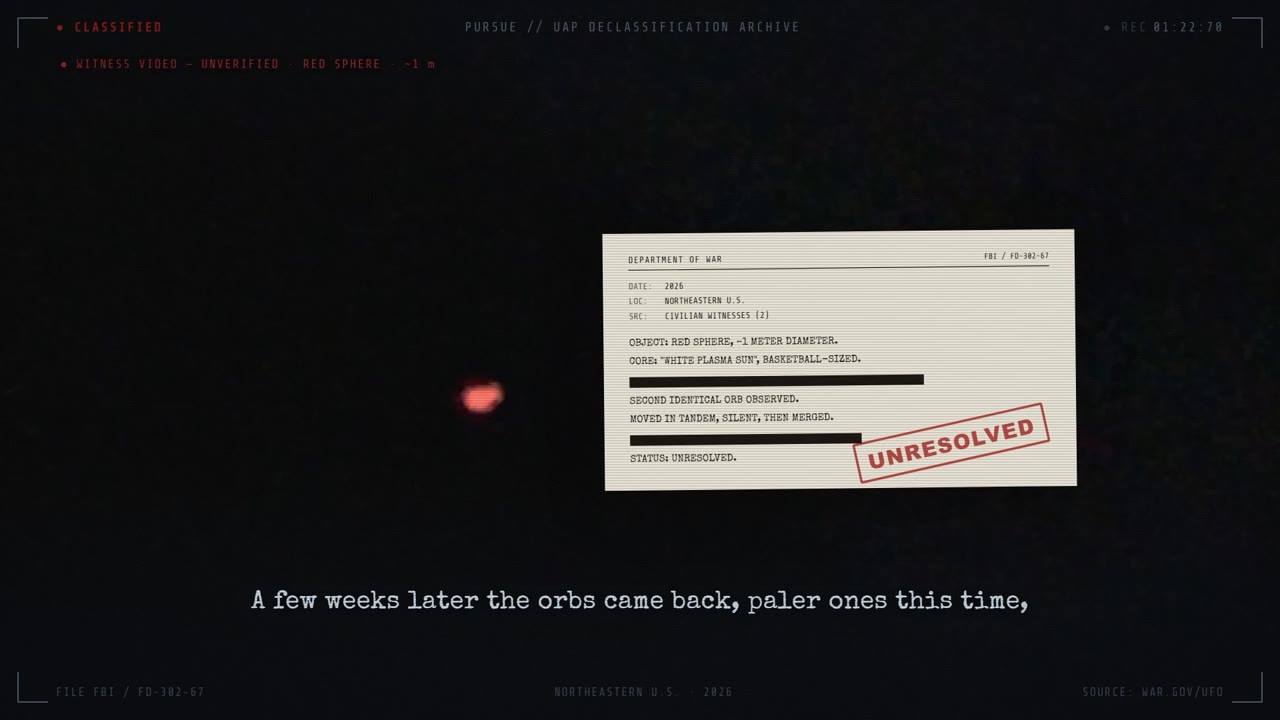
CLASSIFIED // PURSUE header, corner brackets, a live REC timecode, a witness-video red orb, and a Department-of-War memo with blacked-out lines and a springing UNRESOLVED stamp, is drawn entirely in React and rendered by Remotion.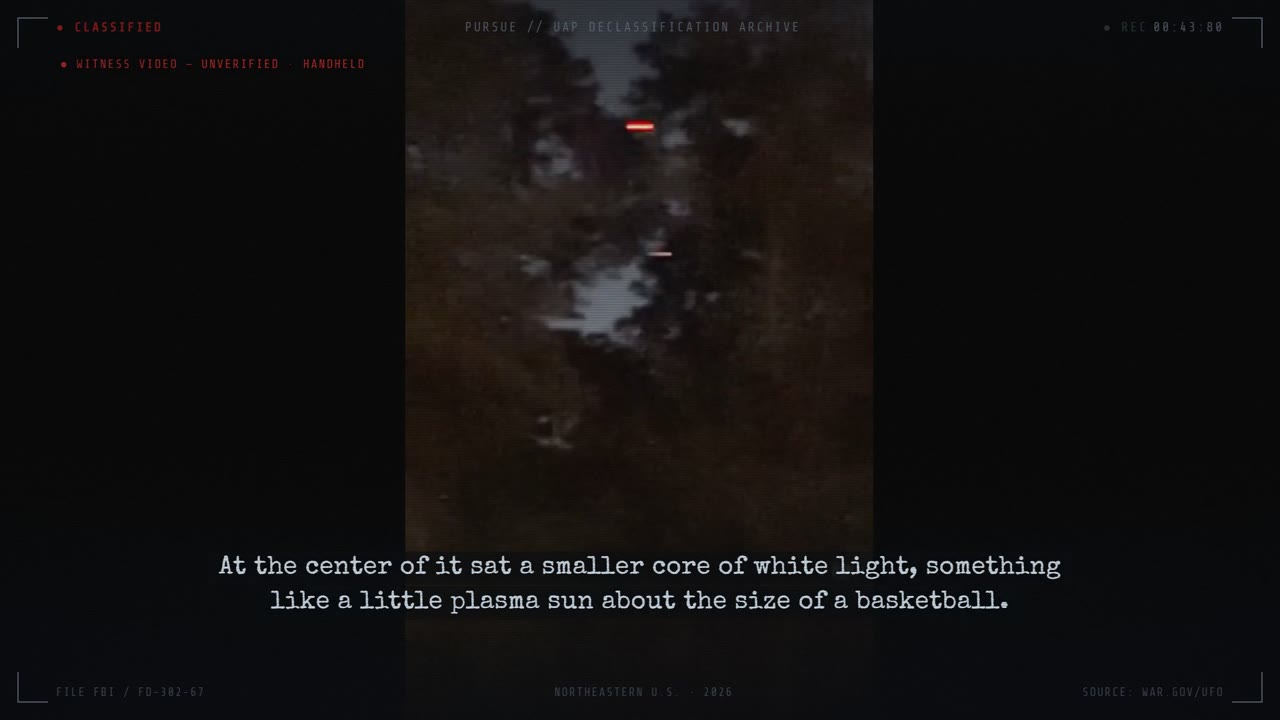
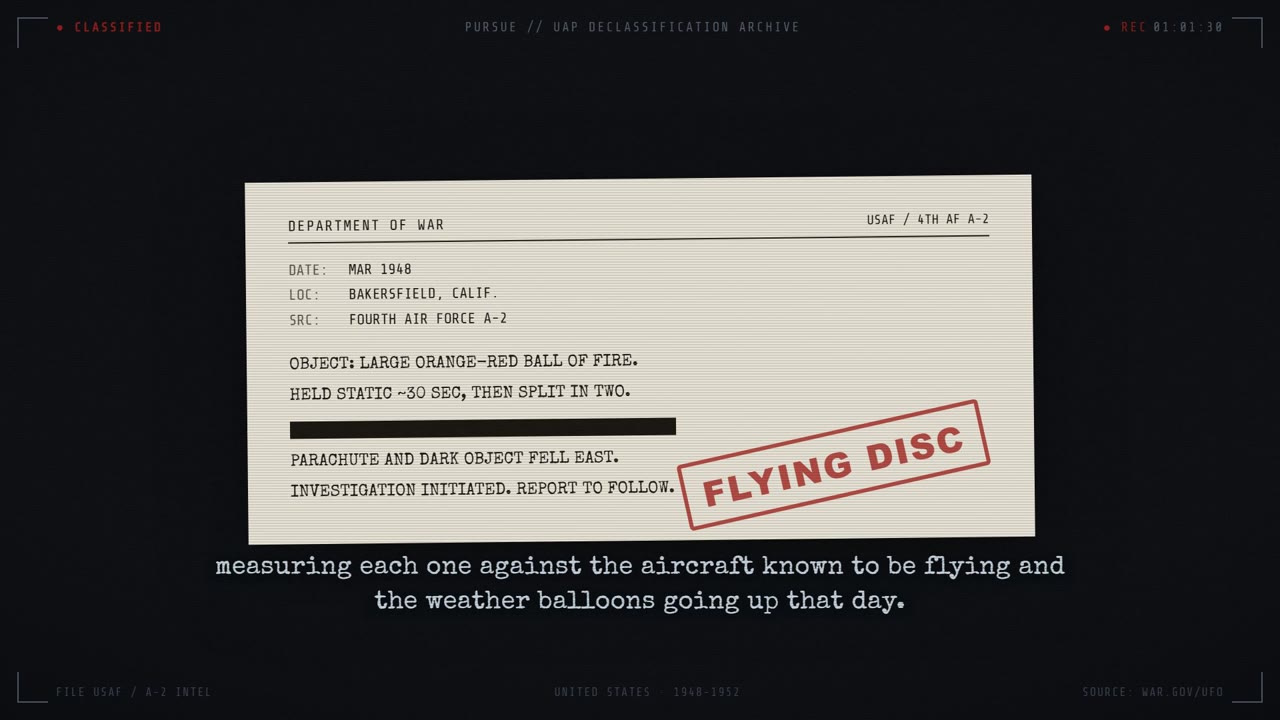
spring() animation keyed to the frame.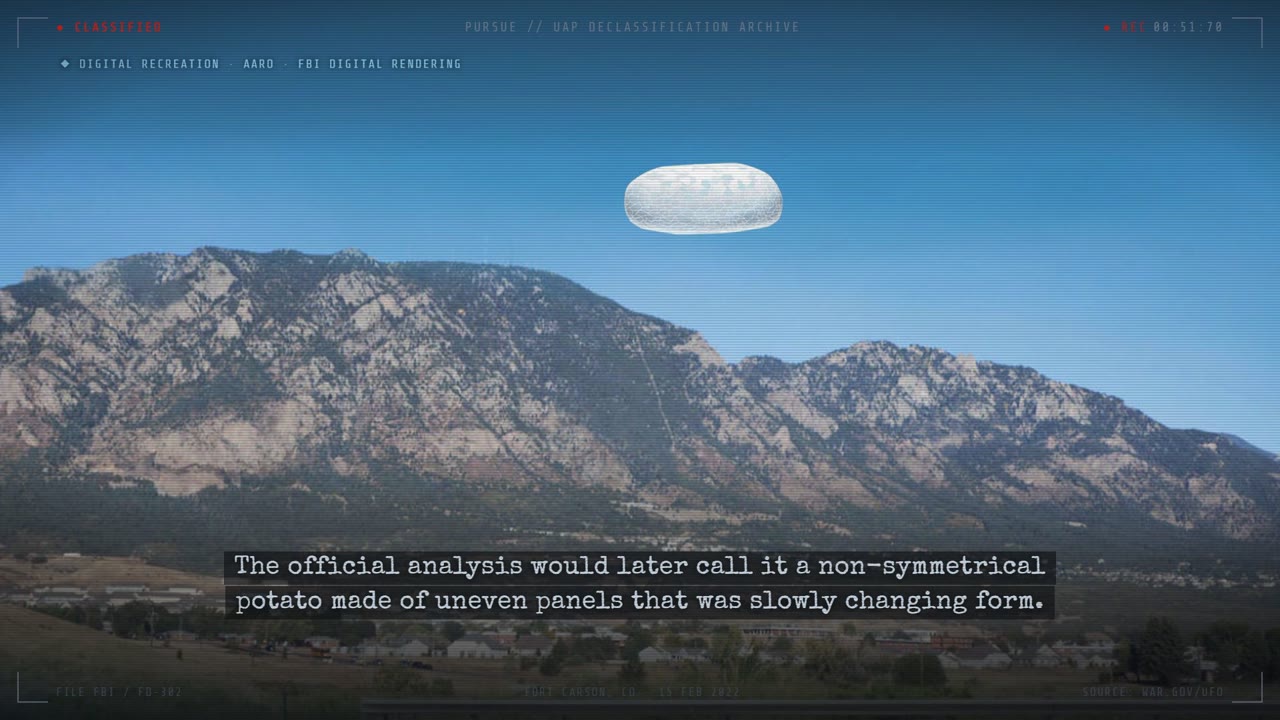
Editor-API Experiments: CapCut/JianYing Draft Automation (and the Canva Non-Story)
I wanted to see whether I could drive a consumer video editor (CapCut International, or its China twin 剪映 JianYing) entirely from code, letting an AI agent assemble a full timeline of video, audio, text, subtitles, stickers, effects, and keyframes without ever opening the editor UI. The tool I used is the open-source CapCutAPI (sun-guannan/CapCutAPI), a Python project that exposes the same capability set two ways: a Flask HTTP API (capcut_server.py, ~9 endpoints on port 9000/9001) and an MCP server (mcp_server.py, 11 tools) that plugs straight into an MCP client like Claude. Internally it wraps a fork of the pyJianYingDraft library, which reads and writes CapCut/JianYing's native project file format.
The thing that kept this an experiment is what CapCutAPI actually produces. It does not render a finished MP4. Instead it builds a draft, meaning an editable project (a draft_info.json plus a folder of downloaded media assets) that you drop into CapCut/JianYing's drafts directory and open. The agent can compose the whole edit, but a human still presses Export. The repo can optionally zip the draft and upload it to Aliyun OSS to hand back a download URL, while the actual "turn this draft into a video automatically" capability lives in a closed-source cloud-render module that the maintainer never open-sourced.
That closed module is the blocker. The task framing called it a "WeChat dependency," and once I dug into the code the real picture turned out sharper: there is no WeChat API anywhere in the codebase. WeChat shows up exactly once, as the maintainer's contact handle in the Chinese README. The README says plainly that three pieces (the MCP editing agent, the web editing client, and 云渲染 (cloud rendering)) are not open source, and the only way to get at them is to message the author. WeChat is the human gate to a closed feature rather than a programmatic integration. Automated export was blocked by a capability that isn't in the box, not by an auth wall I could write code against.
APIs & services
| Service / API | What it does here | Docs |
|---|---|---|
| CapCutAPI (sun-guannan/CapCutAPI) | Open-source Python tool that programmatically builds CapCut/JianYing drafts; exposes a Flask HTTP API and an MCP server. The core of this experiment. | docs ↗ |
| pyJianYingDraft | Underlying library (vendored into the repo) that models and serializes CapCut/JianYing's native draft_info.json, tracks, segments, materials, keyframes, plus a Windows UI-automation export controller. | docs ↗ |
| Model Context Protocol (MCP) | Protocol used by mcp_server.py to expose 11 editing tools (create_draft, add_video, add_text, save_draft, ...) over stdio JSON-RPC to an AI client. | docs ↗ |
| CapCut / JianYing (剪映) desktop app | The target editor. The generated draft folder is copied into its drafts directory; the final MP4 export happens here (manually, or via the orphaned UI-automation controller). | docs ↗ |
| FFmpeg / ffprobe | Called by save_draft to probe real width/height/duration of each downloaded media file and fix segment timeranges before writing the draft. | docs ↗ |
| Alibaba Cloud OSS (oss2 SDK) | Optional draft hosting: when is_upload_draft=true, the zipped draft is uploaded and a 24h pre-signed URL is returned. Credentials are config-only and were not populated here. | docs ↗ |
| Flask | HTTP server framework for capcut_server.py (the REST interface mirroring the MCP tools). | docs ↗ |
| Canva Connect MCP (claude.ai connector) | Available-but-unused. Surfaces only as a deferred MCP connector (authenticate/complete_authentication, OAuth-gated). It is NOT wired into any pipeline, see gotchas for the truth. | docs ↗ |
How it's built, step by step
- INSTALL: clone CapCutAPI and run
pip install -r requirements.txt(plusrequirements-mcp.txtif you want MCP). Copyconfig.json.exampletoconfig.json, then setis_capcut_env(true for CapCut International, false for JianYing China, which swaps every effect/transition/animation enum table), setport, and leaveis_upload_draft:falsefor the local-only flow. - START: run
python capcut_server.pyfor the HTTP API, orpython mcp_server.pyfor the stdio MCP server. Register the MCP server in the client's mcp_config.json withcommand: python,args: [mcp_server.py], andcwd/PYTHONPATHpointed at the repo. - CREATE: call
create_draft(width, height). This builds an in-memoryScript_fileand registers it in a process-globalDRAFT_CACHEunder a generated id likedfd_cat_<unixtime>_<uuid8>. Nothing is written to disk yet. - COMPOSE: call add_video / add_audio / add_image / add_text / add_subtitle / add_effect / add_sticker / add_video_keyframe, each passing the same
draft_idso they mutate the cached script. Each media call records aremote_url(the source) and a content-hashedmaterial_name(e.g.video_<sha256[:16]>.mp4). The bytes are NOT downloaded yet. Times are given in seconds and converted to microseconds internally. - SAVE: call
save_draft(draft_id, draft_folder). The server (a) duplicates the bundledtemplate/template_jianyingfolder, (b) runs ffprobe/imageio over everyremote_urlto fill real dimensions/durations and repair overlapping segments + pending keyframes, (c) downloads all assets concurrently (ThreadPoolExecutor, 16 workers) intodfd_cat_*/assets/{audio,image,video}/, and (d) dumpsdraft_info.json. - DELIVER (local): the resulting
dfd_cat_*folder is copied into the CapCut/JianYing 'drafts' directory. Open the app → the draft appears as a fully editable project. - DELIVER (hosted, optional): if
is_upload_draft:true, the draft is zipped and pushed to Aliyun OSS;save_draftreturns a 24h signeddraft_url. The MCP path instead returns a URL into the maintainer's hosted downloader service (install-ai-guider.top/draft/downloader). - EXPORT (the wall): to get an MP4 you either (a) press Export by hand in the desktop app, (b) use the unwired
Jianying_controller.export_draft()UI-automation path (Windows-only, JianYing 6-and-below, VIP-gated), or (c) use the closed-source cloud-render module, which is not in the repo and is only reachable by contacting the maintainer via WeChat. This step is where automation stops.
Under the hood
The draft JSON model (what actually gets written)
A CapCut/JianYing project is one draft_info.json. pyJianYingDraft's Script_file loads a template, mutates it, and serializes it via dumps(). Here's the real top-level shape (from script_file.py):
def dumps(self) -> str:
    self.content["fps"]           = self.fps
    self.content["duration"]      = self.duration            # microseconds
    self.content["canvas_config"] = {"width": self.width, "height": self.height, "ratio": "original"}
    self.content["materials"]     = self.materials.export_json()
    self.content["platform"]      = {"app_id": 359289, "app_source": "cc", ...}  # "cc" = CapCut
    # imported materials/tracks merged, tracks sorted by render_index
    self.content["tracks"] = [t.export_json() for t in track_list]
    return json.dumps(self.content, ensure_ascii=False, indent=4)
materials is a bag of typed lists (notice how many empty arrays the format demands):
result = {
    "audios":   [...], "videos": [...],        # videos also hold material_type=="photo" images
    "texts":    [...], "stickers": [...],
    "effects":  [...],                          # filters + text bubbles/flowers
    "masks":    [...], "transitions": [...],
    "speeds":   [...], "canvases": [...],       # canvases = background fill/blur
    "audio_effects": [...], "audio_fades": [...], "animations": [...], "video_effects": [...],
    "ai_translates": [], "beats": [], "chromas": [], ...   # required-but-empty keys
}
The key invariant: everything is microseconds. A segment carries a source_timerange (where it sits in the source clip) and a target_timerange (where it sits on the timeline), and the two diverge by speed:
source_duration = video_end - start
target_duration = source_duration / speed
source_timerange = trange(f"{start}s", f"{source_duration}s")
target_timerange = trange(f"{target_start}s", f"{target_duration}s")
video_segment = draft.Video_segment(video_material,
    target_timerange=target_timerange, source_timerange=source_timerange,
    speed=speed, clip_settings=Clip_settings(transform_x, transform_y, scale_x, scale_y),
    volume=volume)
script.add_segment(video_segment, track_name=track_name)
Drafts live in a process-global cache, keyed by a generated id
draft_id = f"dfd_cat_{int(time.time())}_{uuid.uuid4().hex[:8]}"
script = draft.Script_file(width, height)
update_cache(draft_id, script)        # DRAFT_CACHE[draft_id] = script
Every subsequent add_* call does get_or_create_draft(draft_id) to fetch the same in-memory script. This is why a draft only hits disk at save_draft time, and why the server is stateful (restart = lose all in-flight drafts).
save_draft: metadata repair + concurrent download, then optional upload
save_draft_background is the workhorse. It duplicates a template, probes media, downloads everything, and dumps the JSON. The media probe uses ffprobe and back-patches durations into the segments (materials are created with duration=0, width=0, height=0 and get filled in here):
command = ['ffprobe','-v','error','-select_streams','v:0',
           '-show_entries','stream=width,height,duration',
           '-show_entries','format=duration','-of','json', remote_url]
# ... video.width/height/duration set; segment source/target timeranges clamped to real duration
Downloads are parallel:
with ThreadPoolExecutor(max_workers=16) as executor:
    future_to_task = {executor.submit(t['func'], *t['args']): t for t in download_tasks}
The upload branch is gated and was left OFF (is_upload_draft:false):
if IS_UPLOAD_DRAFT:
    zip_path  = zip_draft(draft_id)            # shutil.make_archive
    draft_url = upload_to_oss(zip_path)        # oss2, returns 24h sign_url('GET', ...)
OSS credentials are read from config.json into OSS_CONFIG/MP4_OSS_CONFIG and were never populated; they're placeholders only (access_key_id: <YOUR_OSS_KEY>, etc.).
The MCP surface
mcp_server.py is a hand-rolled JSON-RPC loop over stdin/stdout (no SDK). It declares 11 tools, captures stdout so debug prints don't corrupt the JSON stream, and dispatches tools/call to the same impl functions the Flask server uses. Its create_draft and save_draft hand back URLs into the maintainer's hosted service:
result = {"draft_id": str(draft_id),
          "draft_url": f"https://www.install-ai-guider.top/draft/downloader?draft_id={draft_id}"}
The export wall (why automation stops)
There IS a real desktop-export automation. pyJianYingDraft/jianying_controller.py has Jianying_controller.export_draft(), which drives the JianYing window via uiautomation (clicks the draft, the export button, sets resolution/framerate enums, polls the % progress text, moves the output file). Three facts make it a dead end for this pipeline:
- It is orphaned: no HTTP or MCP endpoint calls it, and it ships as library dead code.
- Its own docstring limits it:
目前仅支持剪映6及以下版本(JianYing v6 and below only) and需要确认有导出草稿的权限(不使用VIP功能或已开通VIP), 否则可能陷入死循环(must have export rights / VIP or it can infinite-loop). - It targets the China JianYing build and assumes the app is already open at the home page.
So the only automated render path is the closed-source cloud-render module, which the README says was never released. The hosted endpoints the code points at (install-ai-guider.top/draft/downloader and a query-script Alibaba Function-Compute URL, ...fcapp.run/query_script) are the maintainer's own servers, and the example client even sends a trial license_key (redacted here as <LICENSE_KEY>) on every request, which confirms the hosted flow is license-gated. Contact for that closed capability is the maintainer's WeChat handle published in the Chinese README. *(Inference, not proven by code: because JianYing China login is account-based via WeChat/Douyin, even the manual desktop-export fallback effectively rides on that same account auth, though the repo contains no login automation, so treat this as context rather than a code fact.)*
Gotchas & hard-won lessons
- The repo emits a DRAFT rather than a finished video. CapCutAPI's deliverable is an editable CapCut/JianYing project (draft_info.json + assets), with no MP4 at the end. Plan for a manual Export step or it'll catch you off guard.
- The 'WeChat dependency' is a human gate, not an API. Grepping the whole repo for wechat/weixin/微信 returns exactly one hit: the maintainer's contact handle in README-zh.md. The Chinese MCP doc has zero WeChat references. README-zh.md is the real blocker: it states that the 云渲染 (cloud rendering), web editor, and MCP-agent modules are NOT open-sourced, so you reach them only by messaging the author. Don't write code against a 'WeChat OAuth' that doesn't exist.
- There is a real export automation, but it's a trap. jianying_controller.export_draft() exists and works via Windows UI automation, but it's unwired (no endpoint calls it), JianYing-6-and-below only, China-build only, and VIP-gated. Its docstring warns it can infinite-loop without export permission.
- is_capcut_env flips the entire enum universe. true = CapCut International tables (CapCut_Transition_type, CapCut_Intro_type, ...), false = JianYing tables (Transition_type, Intro_type, ...). A transition/effect/font name valid in one environment AttributeErrors in the other.
- Drafts are in-memory and process-global (DRAFT_CACHE). Materials are created with duration=0/width=0/height=0 and only resolved at save_draft via ffprobe. Restarting the server loses every draft that hasn't been saved; ffmpeg/ffprobe must be on PATH or every save degrades to 1920x1080 defaults.
- Media isn't embedded; it's referenced by URL and downloaded lazily at save time. add_video only stores remote_url plus a sha256-hashed material_name, and save_draft fetches all of them concurrently. Bad or expired source URLs silently drop assets (the loop logs and continues).
- Secrets to scrub before sharing anything from this repo: example.py hardcodes a trial license_key (redact to <LICENSE_KEY>), and oss.py/config.json expect Aliyun OSS access_key_id/secret (placeholders only). Never publish these literals.
- Canva was never actually used. Every 'canva' filesystem hit is a false positive: the substring inside 'canvas' (HTML canvas, tokenizer vocab, build scripts), browser-extension caches, or this workflow's own session logs. No Canva code exists in the CapCutAPI repo or the WSL workspace. Canva shows up only as a deferred, OAuth-gated claude.ai MCP connector (authenticate/complete_authentication), an available tool rather than an integrated pipeline. Do not claim a Canva render path.
- CapCutAPI lives only on Windows (C:\Users\rneeb\CapCutAPI). Grepping the WSL nemoclaw workspace for capcut/jianying returns nothing. This experiment was never wired into the Discord-bot / content-factory pipelines.
Prompts to build it yourself
The actual kind of instructions you'd hand an AI coding agent (Claude Code) to build this from scratch.
Set up the open-source CapCutAPI repo as an MCP server I can call from Claude. Install the Python deps, copy config.json.example to config.json with is_capcut_env=true and is_upload_draft=false, start mcp_server.py, and register it in my MCP client config so I get the create_draft / add_video / add_text / save_draft tools.
Using the CapCutAPI HTTP endpoints, write a script that builds a 1080x1920 vertical draft: create_draft, add a background video from a URL with a fade-in transition, overlay a styled title with a drop shadow for the first 5 seconds, add an SRT subtitle track, then save_draft into my CapCut drafts folder so I can open it and review.
Investigate why I can build a CapCut draft programmatically but can't export an MP4 from the API. Read save_draft_impl.py, mcp_server.py, settings/local.py, and jianying_controller.py, and tell me exactly which part of the render/export path is open source vs. closed, and what the draft_url actually points to.
Audit this repo for whether it can fully automate video export end-to-end. Confirm whether the export automation is reachable from any HTTP/MCP endpoint, what version and licensing constraints it has, and whether any cloud-render service is included or has to be obtained from the maintainer.
The Auto-Poster: One Render, Three Platforms (YouTube + Instagram Reels + TikTok)
This is the upload-and-schedule layer underneath every short-form factory in the workspace. A render finishes as <slug>_shorts.mp4 plus a sibling <slug>.json metadata sidecar ({snippet:{title,description,tags,categoryId}, status:{privacyStatus,selfDeclaredMadeForKids}}). From that single pair I fan the clip out to YouTube Shorts, Instagram Reels, and TikTok, each through its own platform API and OAuth slot, with the caption reshaped to fit. I wrote it all as stdlib-only Python and dependency-free Node so it runs on a bare WSL box, and every secret lives in one ~/.nemoclaw_env file that gets parsed but never committed.
The main piece is ~/scripts/yt-shorts-upload.py, a YouTube Data API v3 uploader that doubles as the OAuth re-auth helper. The channel posters (kickclips daily, the baseball dual-channel dispatcher, the UFO channel) never re-implement upload. They stage a <slug>_shorts.mp4 + <slug>.json and shell out to the shared uploader with --account <slot>, so dedup, the WSL-blackhole retry loop, the frozen-tail guard, and thumbnail logic all live in one place. Posting runs on cron with flock guards so a hung network call can never wedge the next slot, and a two-pass adversarial vision gate vets the riskiest (creator) clips before any of them reach a queue.
The theme I kept hitting was defensive networking. WSL's outbound TLS to Google/Meta blackholes at random, so every external call is wrapped in a bounded timeout plus a re-dial retry. And because a multipart upload is not idempotent, every retry first re-checks the channel by title, so a stalled *response* (where the upload actually landed server-side) never double-posts.
APIs & services
| Service / API | What it does here | Docs |
|---|---|---|
| YouTube Data API v3 | Primary upload target. videos.insert via multipart/related POST (uploadType=multipart, part=snippet,status); search.list (forMine) for same-title dedup; thumbnails.set, playlists.insert, playlistItems.insert, channels.list (verify auth), videos.delete (take down a bad cut). | docs ↗ |
| Google OAuth 2.0 (installed/desktop app) | Auth for YouTube. Authorization-code flow with access_type=offline + prompt=consent to mint a refresh token; refresh_token grant for each upload. Loopback-server flow and a WSL-safe manual paste/exchange flow. | docs ↗ |
| Instagram Graph API, Content Publishing (Reels) | Cross-post to Reels. Resumable upload: create REELS container (upload_type=resumable) -> POST raw bytes to rupload.facebook.com -> media_publish. Uses a long-lived FB Page token (FB_PAGE_TOKEN) + IG_USER_ID. | docs ↗ |
| TikTok Content Posting API | Cross-post to TikTok feed via PULL_FROM_URL (TikTok fetches a public MP4 URL), then poll publish/status until PUBLISH_COMPLETE. OAuth 2.0 with PKCE (S256), refresh-token grant, scopes user.info.basic,video.upload. | docs ↗ |
| ffmpeg / ffprobe | Pre-upload media sanity: ffprobe compares audio vs video stream duration; ffmpeg hard-cuts a frozen audio-only tail (stream copy + -t <video_dur>). Also extracts frames for vision-gate contact sheets. | docs ↗ |
| Discord REST API (channels/messages) | Cron job result notifications to an #errors channel after each IG post (success/failure with remaining-queue count). | docs ↗ |
How it's built, step by step
- Render step (upstream factory) drops
<slug>_shorts.mp4and a sibling<slug>.jsonmetadata file into a per-channel directory. The JSON is the universal contract:{snippet:{title,description,tags,categoryId}, status:{privacyStatus,selfDeclaredMadeForKids}}. - One-time per channel: create an OAuth slot. Run
python3 yt-shorts-upload.py --auth --account <slot>(loopback) or the WSL-safe--authurlthen--exchange '<pasted redirect URL>'. The refresh token is written to~/.nemoclaw_envunder a per-account key (defaultYOUTUBE_OAUTH_REFRESH_TOKEN, or_UFO,_sportsstats,_KICKCLIPS). client_id/secret are shared across all channels; only the refresh token differs. - For creator (face-on-camera) content only: build contact-sheet montages (ffmpeg extracts ~37 frames/clip, tiled into one grid PNG per clip;
map.jsonrecords slug->sheet). A vision model judges every sheet against a strict boolean schema (pass 1 -> gate_result.json), then adversarially re-checks only the clips it marked safe (pass 2 -> adv_result.json). Only survivors are written into the posting queue. - Stage + upload to YouTube: poster copies the approved MP4 to
<slug>_shorts.mp4, writes<slug>.json, then callsyt-shorts-upload.py --upload <slug> --dir <staging> --account <slot>. The uploader runs the frozen-tail guard, a same-title dedup search, then the multipart POST with timeout+retry+adopt-on-stall. - Cross-post the same MP4: IG via
post-to-ig-direct.js --video ... --metadata ...(resumable to rupload.facebook.com, then publish-with-retry) and TikTok viatt-shorts-upload.py --upload <slug> --url <public_mp4_url>(PULL_FROM_URL + status poll). Captions are reshaped from the same sidecar (title + intro + a capped hashtag stack). - Schedule via cron, each wrapped in a flock so overlapping runs no-op: baseball dual-channel dispatcher every 4h to @sportsstats (
0 */4) and offset 2h to SportsTwo (0 2,6,10,14,18,22) -> combined ~every 2h alternating channels; kickclips daily-ish (0 */6). The dispatcher picks the lane opposite the last post and shares one playId/title ledger across both channels so a clip is never posted to both. - Record + dedup: on a confirmed post, append the slug/title to an append-only ledger (
posted.txt) and the cross-channeltitles.txt/templates.txt. The next pick reads these immediately (the YouTube search index lags minutes), so back-to-back slots never repeat a title or phrasing.
Under the hood
1. YouTube OAuth, the setup how-to (and the 7-day trap)
The OAuth client is a Desktop/installed app in a Google Cloud project, shared across every channel; only the per-channel *refresh token* differs. The authorize step asks for offline access + forced consent so Google returns a refresh token:
SCOPES = ("https://www.googleapis.com/auth/youtube "
          "https://www.googleapis.com/auth/youtube.upload "
          "https://www.googleapis.com/auth/youtube.readonly")

auth_url = "https://accounts.google.com/o/oauth2/v2/auth?" + urllib.parse.urlencode({
    "client_id": cid,
    "redirect_uri": redirect,          # http://localhost:<port>/callback
    "response_type": "code",
    "scope": SCOPES,
    "access_type": "offline",          # <- required for a refresh_token
    "prompt": "consent",               # <- force it even on re-auth
})
--auth spins a loopback HTTP server on a random free port, prints the URL, and captures ?code=... on the callback. It then exchanges the code at https://oauth2.googleapis.com/token (grant_type=authorization_code) and verifies the channel via channels?part=snippet&mine=true. Per-account token key:
def token_key(account=None):
    if not account or account.lower() in ("default", "sportstwo"):
        return "YOUTUBE_OAUTH_REFRESH_TOKEN"
    return f"YOUTUBE_OAUTH_REFRESH_TOKEN_{account.upper()}"   # e.g. _UFO, _KICKCLIPS
The trap (teachable): while the OAuth app's publishing status is Testing, refresh tokens silently expire after 7 days. Symptom: one channel uploads fine while another dies with 400 invalid_grant "Token has been expired or revoked". Diagnose by hitting the token endpoint with each channel's refresh token plus the *shared* client_id/secret. If one channel refreshes OK, the client is alive and only that token is dead. Re-auth may itself be blocked by 401 invalid_client "OAuth client was not found" even though the client shows in the Console. The fix for both is the same one-time action: Google Auth Platform -> Audience -> Publish App (Testing -> Production). Production removes the 7-day expiry permanently and clears the authorize block; YouTube scopes are "sensitive", so an *unverified* Production app still works (you click past the "Google hasn't verified this app" warning). Do not recreate the client first. A new client inherits the same consent screen and fails identically until you publish.
WSL-safe manual exchange (loopback callbacks don't forward from a Windows browser): --authurl prints the URL against a fixed http://localhost:8080/callback, you sign in, the browser fails to load localhost (fine), you copy the address-bar URL and feed it to --exchange, which parses the code= out. The redirect_uri in the exchange must exactly match the one in the authorize URL, and the code has a ~10-minute TTL (invalid_grant on exchange = expired or reused code).
2. The YouTube upload, multipart, not resumable
YouTube uses a single multipart/related POST (metadata part + raw MP4 part), hand-rolled with urllib so there is zero SDK dependency:
boundary = "yt-shorts-boundary-mlb"
json_part = ("Content-Type: application/json; charset=UTF-8\r\n\r\n"
             + json.dumps({"snippet": meta["snippet"], "status": meta["status"]}) + "\r\n").encode()
mp4_hdr = b"Content-Type: video/mp4\r\n\r\n"
body = sep + json_part + sep + mp4_hdr + video_path.read_bytes() + end

url = "https://www.googleapis.com/upload/youtube/v3/videos?uploadType=multipart&part=snippet,status"
req = urllib.request.Request(url, data=body, method="POST", headers={
    "Authorization": f"Bearer {access}",
    "Content-Type": f"multipart/related; boundary={boundary}",
    "Content-Length": str(len(body)),
})
3. Defensive networking, flock-hang fix + non-idempotent retry
WSL -> Google edge IPs intermittently blackhole the TLS handshake. A naive blocking POST then hangs forever and holds the cron flock, killing every later slot. The fix is a bounded timeout plus a re-dial retry. But because a multipart upload is not idempotent, a stalled *response* may mean the upload actually landed, so each retry first re-checks the channel by title and adopts the existing video id instead of uploading a second copy:
for i in range(1, attempts + 1):
    try:
        with urllib.request.urlopen(req, timeout=180) as r:
            resp = json.load(r); break
    except (urllib.error.URLError, socket.timeout, TimeoutError) as e:
        landed = find_dup_by_title(title, access)      # did the prior attempt actually post?
        if landed:
            vid = landed; break                        # adopt — do NOT re-upload
        if i < attempts:
            time.sleep(5)                              # re-dial: usually a healthier IP
        else:
            sys.exit("abort so the flock releases and the next run can retry")
Token refresh gets the same treatment (timeout=60, 3 tries) so a blackholed token endpoint can't hold the lock either. The cron wrappers take a non-blocking flock and no-op if a previous run is still active:
exec 9>"$LOCK"; flock -n 9 || exit 0Note these are three *distinct* fallback strategies: (a) the in-WSL timeout+retry above is the only automatic one; (b) a separate manual technique runs the API call from Windows PowerShell (Invoke-RestMethod over TLS 1.2 writing into \\wsl.localhost\...) when WSL's TLS is fully blackholed; (c) yt-mobile-upload.sh pushes the MP4 to a phone over ADB and drives the YouTube app's UI to reach the *trending-sound* picker (an algo boost only available in-app).
4. Frozen-tail guard (ffprobe/ffmpeg)
If audio runs meaningfully longer than video, the player freezes on the last frame, a real defect that shipped on ~111 reposts once. Before the bytes are read into the POST, compare stream durations and hard-cut. -c copy -shortest is unreliable here, so an explicit -t <video_dur> ceiling is used; the guard fails open (any probe/encode hiccup returns the original) so tooling trouble never blocks a legit upload:
v = _stream_dur(path, "v:0"); a = _stream_dur(path, "a:0")
if a - v > 0.3:
    subprocess.run([FFMPEG, "-y", "-i", path, "-t", f"{v:.3f}",
                    "-map", "0:v:0", "-map", "0:a:0", "-c", "copy",
                    "-movflags", "+faststart", fixed])
5. Dual-channel round-robin + shared ledger
post_sportsstats_4h.py posts to @sportsstats; the SportsTwo cron runs the *same* dispatcher with --account sportstwo, offset 2h. The lane is chosen as the opposite of the last post (read straight from the shared ledger, so it self-corrects and needs no extra state), with a fallback so a slot is never wasted:
last = last_lane()                       # reads tail of posted.txt
chosen = "assist" if last == "nasty" else "nasty"
for lane in (chosen, other):
    if run(lane, dry, account): return 0  # posted
Both channels share one posted.txt keyed by playId/per-short hash, so a clip posted to either channel is never posted to the other. A second title_ledger.py prevents duplicate *titles/phrasings* cross-channel, written the instant a post succeeds (YouTube's search-based dedup lags minutes). Titles are normalized (lowercase, strip emoji/punctuation) so a different trailing emoji isn't treated as a different title, and the last N template-keys are avoided so "X Made Y Look Silly" can't fire twice in a row.
6. Cross-post: IG resumable + TikTok PULL_FROM_URL
IG Reels uses the resumable path straight to Meta (no Drive dependency in the current post-to-ig-direct.js): create container -> POST bytes to rupload.facebook.com -> publish. The working header set is finicky; extra or upper-cased headers trigger ProcessingFailedError:
// 1) create container
graphPost(`/v21.0/${IG_USER_ID}/media`, {media_type:"REELS", upload_type:"resumable", caption, share_to_feed:"true"})
// 2) raw bytes to the returned uri (rupload.facebook.com)
headers = {Authorization:`OAuth ${TOKEN}`, "Accept":"*/*", "offset":"0", "file_size":String(size), ...}
// 3) publish (this page token can PUBLISH but cannot READ the container status,
//    so skip the status poll and retry media_publish while IG finishes processing)
graphPost(`/v21.0/${IG_USER_ID}/media_publish`, {creation_id: containerId})
The duration guard skips cleanly (exit 0, not a failure) when a source exceeds the IG Reels API cap (~60s on this account). TikTok uses PULL_FROM_URL (TikTok pulls a public MP4 URL), then polls publish/status/fetch until PUBLISH_COMPLETE; its OAuth uses PKCE (96-char verifier, S256 challenge).
7. Two-pass adversarial vision gate
The unattended cron is public, so creator clips pass a gate before they can enter any queue. It runs as a workflow rather than a standalone binary: ffmpeg extracts ~37 frames/clip tiled into one grid PNG per clip (sheets/map.json maps slug->sheet), then a vision LLM judges each sheet against a strict boolean schema and writes gate_result.json:
{"second_person_in_camera": true, "sexual_movement_or_framing": false,
 "minor": false, "onscreen_profanity_or_slur": false,
 "male_friend_or_white_adidas": true}
The rule that makes it work is "genuine uncertainty resolves against safe": if it can't tell a draped jacket from a second person, it flags unsafe. Pass 2 is the adversarial step. It re-examines *only* the clips pass 1 called safe and tries to refute each one (single-cell crops, brightness/contrast zooms to clear the riskiest frames). On one 35-clip batch, pass 1 rejected 19 outright and pass 2 refuted 4 of the 16 "safe", so 23/35 were killed, and those 4 are exactly the false-safes a single pass would have shipped.
Gotchas & hard-won lessons
- YouTube uses multipart upload (single
multipart/relatedPOST,uploadType=multipart), NOT resumable. Only Instagram Reels uses the resumable path (rupload.facebook.com). TikTok uses neither; it pulls a public URL (PULL_FROM_URL). Don't conflate them. - OAuth app left in Testing = refresh tokens die after exactly 7 days (
invalid_grant). The permanent fix is publishing the app to Production (Google Auth Platform -> Audience -> Publish App), which also clears theinvalid_clientauthorize block. Recreating the OAuth client does NOT help; a new client shares the same consent screen and fails identically until published. - A multipart upload is not idempotent: the POST can complete server-side while the response blackholes. A naive retry then double-posts. Always re-check the channel by exact title before retrying and adopt the existing video id if it landed.
- A hung network call holds the cron flock and silently kills every later slot. Every external call needs a bounded
urllibtimeout AND a retry that aborts on final failure so the lock releases for the next run. flock the cron wrapper withflock -nso overlapping runs no-op. - IG's resumable upload rejects extra or upper-cased headers with a generic
ProcessingFailedError. Use exactlyAuthorization: OAuth <token>,Accept: */*,offset: 0, and skip the container status poll entirely if your page token can publish but can't read the container (Authorization Error subcode 33); retrymedia_publishwhile IG finishes processing. - Audio longer than video makes the player freeze on the last frame (shipped on ~111 reposts before it was caught). ffprobe both streams; if audio - video > ~0.3s, hard-cut with
-t <video_dur>(NOT-c copy -shortest, which is unreliable with stream copy). Fail open so the guard never blocks a good upload. - The YouTube search-index dedup lags minutes behind an upload, so two posts fired close together don't see each other. Keep a local append-only ledger written the instant a post succeeds, and normalize titles (strip emoji/punctuation, lowercase) so a swapped trailing emoji isn't treated as a fresh title.
- A single-pass vision safety check leaks false-safes (a draped Adidas jacket vs a second person, a blurred background patron). A second adversarial pass that only re-checks the 'safe' set and tries to refute each one caught 4 extra violations out of 16 on one batch. Bake in 'uncertainty resolves against safe'.
pkill -f "yt-shorts-upload.py --auth"run inside a shell whose own command line contains that literal pattern SIGTERMs the parent shell itself. Use a narrower pattern or run the kill in a separate invocation.- Documented schedule intent (noon/6pm CDT) has drifted from the live crontab, so verify against
crontab -land don't trust headers. Live values: sportsstats0 */4, SportsTwo0 2,6,10,14,18,22(offset 2h -> combined ~every 2h alternating), kickclips0 */6. - On WSL, OAuth loopback callbacks don't forward from a Windows browser. Provide a manual paste/exchange flow against a fixed redirect_uri; the auth code has a ~10-min TTL and the exchange's redirect_uri must byte-match the authorize URL's.
Prompts to build it yourself
The actual kind of instructions you'd hand an AI coding agent (Claude Code) to build this from scratch.
Build a stdlib-only Python uploader for YouTube Shorts via Data API v3. It should read client_id/secret/refresh-token from ~/.nemoclaw_env, support per-channel token slots (default + named accounts), upload an MP4 with its JSON metadata sidecar via a hand-rolled multipart/related POST, and include an --auth mode that runs a loopback OAuth flow plus a WSL-safe --authurl/--exchange manual paste flow.
Make the uploader survive WSL's flaky outbound TLS: wrap every Google call in a bounded timeout with a re-dial retry, and because multipart upload isn't idempotent, before each retry re-search the channel by exact title and adopt the existing video id instead of uploading a duplicate. Wrap the cron job in a non-blocking flock so a hung call can't wedge later slots.
Write a dual-channel round-robin dispatcher that posts one short every 4h to each of two YouTube channels offset by 2h, alternating two content lanes. Use one shared append-only ledger keyed by clip id so a video is never posted to both channels, plus a separate normalized-title ledger so no title or phrasing repeats back-to-back across channels.
Add a two-pass adversarial vision safety gate before queuing creator clips: extract ~37 frames per clip into one contact-sheet PNG, have a vision model judge each sheet against a boolean schema (second person, sexual framing, minor, on-screen profanity) with 'uncertainty resolves against unsafe', then run a second pass that re-checks only the clips marked safe and tries to refute each one. Write gate_result.json and adv_result.json.
Add Instagram Reels and TikTok cross-posting that reuse the same MP4 + JSON sidecar. For IG, use the Graph API resumable upload (create REELS container, POST bytes to rupload.facebook.com, then media_publish with retry, skipping the status poll). For TikTok, use the Content Posting API PULL_FROM_URL flow with PKCE OAuth and poll publish status to completion. Reshape captions from the sidecar with a capped hashtag stack.
A live-chat AI bot that runs a real browser
Most of this page is about making videos. This one is the odd one out. Instead of building a clip, it sits inside a YouTube live chat and talks to people while the stream is happening, the way a regular viewer would. It also listens to the streamer's own voice through the broadcast audio, so when they say something out loud the bot can react to it in chat.
The awkward part is that YouTube gives you no clean way to post into a live chat from a script. So the bot does the human thing. It runs a real Chrome browser, opens the chat, reads the messages on the screen, types a reply, and clicks send. The actual thinking runs through the Claude command-line tool, which means there is no extra AI bill on top of it.
I built this for a friend's stream. The streamer gave the bot a nickname, and after a while the chat treated it like one of the regulars, which was the whole point.
APIs & services
| Service / API | What it does here | Docs |
|---|---|---|
| Playwright | Drives a real logged-in Chrome so the bot can read the live chat off the page and type replies. There is no API for posting to a YouTube live chat, so the bot uses the page like a person. | docs ↗ |
| Claude Code CLI | The brain. Run in print mode, it reads one chat message plus the context and writes back a single reply. Uses the CLI login, so no API key. | docs ↗ |
| faster-whisper | Turns the stream's audio into text on the GPU so the bot knows what the streamer just said. | docs ↗ |
| yt-dlp | Resolves the live stream's audio so ffmpeg can read it in real time. | docs ↗ |
| ffmpeg | Cuts the live audio into short chunks for transcription, and grabs a video frame so the bot can glance at the screen. | docs ↗ |
| YouTube live chat | Not an API. The actual web page the bot drives like a human, reading messages and clicking send. | , |
How it's built, step by step
- Sign in once by hand. A small helper opens a visible Chrome pointed at a fresh profile folder. You log into the YouTube account the bot will speak as, then close the window, and the login stays saved in that folder.
- Copy the signed-in profile into a second folder just for the bot, so its browser never fights your other browsers over the profile lock.
- Install the browser engine with
npm i playwrightandnpx playwright install chromium, then start the bot pointed at the live video's ID. - Each cycle the bot opens the live-chat popout page, waits for the message box to load, and reads the last twenty-five messages off the page.
- It drops messages it has already seen and anything from its own account, then picks the newest message worth answering, preferring one that names the bot or asks a question.
- It builds a prompt from its personality, the streamer's current speech, the recent chat, and that one message, and pipes it into the Claude CLI to get back a single line.
- It types the reply into the box, clicks send, closes the browser, and waits for the next cycle.
- Alongside all of this the audio listener follows the same stream, so the bot always knows what the streamer is talking about.
Under the hood
The browser opens and closes every single cycle
This is the one choice everything else hangs on. A long-running headless Chrome falls over after about thirty seconds on my machine, no matter which flags I throw at it. A browser that opens, does one job, and closes never gets the chance to. So the bot works in short cycles. Every fifteen seconds or so it launches Chrome with the bot's saved login, opens the live-chat page, reads the latest messages, posts at most one reply, and shuts the whole thing down again.
To set up that saved login you run a small helper once that opens a visible Chrome. You sign in as the account you want the bot to speak as, close it, and the cookies stay in a profile folder on disk. A second script copies that folder into a separate one for the bot, so the bot's browser and any other browser you have open never fight over the same lock file.
Reading the chat and picking who to answer
Once the chat page is open, the bot pulls the last twenty-five messages straight out of the page. It keeps a list of message IDs it has already handled so it never answers the same line twice, and it always skips its own account so it cannot talk to itself. Out of the new messages it favours one that names the bot or ends in a question mark, and falls back to the newest otherwise. Idle chatter is rate-limited, but a direct question is allowed to jump that gap so the bot stays responsive.
The prompt and the reply
For the chosen message the bot writes a single prompt: a short description of its personality, whatever the streamer is saying right now from the audio side, the last few chat lines for context, and the one message to answer. It pipes that into the Claude CLI in print mode and reads back one line. The personality tells it to keep replies short and casual, and to answer with the word (skip) when a message is not worth a reply, like a dropped link or a lone emoji. The stronger model sometimes writes its reasoning first, so a small cleanup step keeps only the last real line before it gets typed.
Listening to the stream's voice
The audio half runs as its own program. yt-dlp resolves the live stream's audio, ffmpeg reads it live and chops it into fifteen-second pieces, and faster-whisper turns each piece into text on the GPU. The running transcript goes into a small file that the chat bot reads for context. When the transcription suggests the streamer is talking to the bot directly, the audio side drops a tiny trigger file, and the next chat cycle picks it up and answers. It can also grab one video frame every twenty-five seconds, so the bot can look at what is on screen before it replies.
One-time setup
npm i playwright
npx playwright install chromium
pip install yt-dlp faster-whisper
Gotchas & hard-won lessons
- A long-lived headless Chrome dies after about thirty seconds on my WSL box, whatever flags I set. Opening a fresh browser each cycle is completely stable, so the open-and-close is on purpose. Do not rewrite it into one persistent page or it will start crashing.
- YouTube blocks Playwright's default browser fingerprint from live chat and shows an "update your browser" wall. Setting a normal Chrome user-agent string gets you through.
- The prebuilt static ffmpeg downloads segfault on this live HLS-over-TLS stream. The plain ffmpeg that ships with the system works fine.
- Whisper invents lines like "thanks for watching" over silence and music, so a small drop-list throws those away before they reach the bot.
- Whisper mangles names badly. It heard the bot's nickname a dozen different ways, so the trigger that decides the streamer is talking to it matches loosely on the garbled pieces plus anything shaped like a question.
- Give the bot its own copy of the login profile. Two browsers sharing one profile folder will fight over a lock file and both stall.
- Guard against the bot answering itself, and against posting the same line twice in a short window, or it can spiral into a loop.
Prompts to build it yourself
The actual kind of instructions you'd hand an AI coding agent (Claude Code) to build this from scratch.
I want a bot that sits in a YouTube live chat and replies to viewers in real time. There is no API for posting to live chat, so use Playwright to drive a real logged-in Chrome: open the live-chat popout, read the recent messages off the page, type a reply, and click send. Use the Claude CLI in print mode as the brain so there is no API key to manage. Open a fresh browser each cycle instead of keeping one open, because a long-lived headless browser is unstable. Skip the bot's own messages, never answer the same line twice, and prefer messages that ask a question. First walk me through signing the bot's account in once with a saved browser profile.
Now add a listener for the same stream's audio. Use yt-dlp to pull the live audio, ffmpeg to cut it into short chunks, and faster-whisper on the GPU to transcribe each chunk into a rolling transcript file. When the streamer addresses the bot out loud, write a small trigger file that the chat bot reads so it answers in chat. Drop whisper's silence hallucinations, and match the bot's name loosely since transcription garbles it.