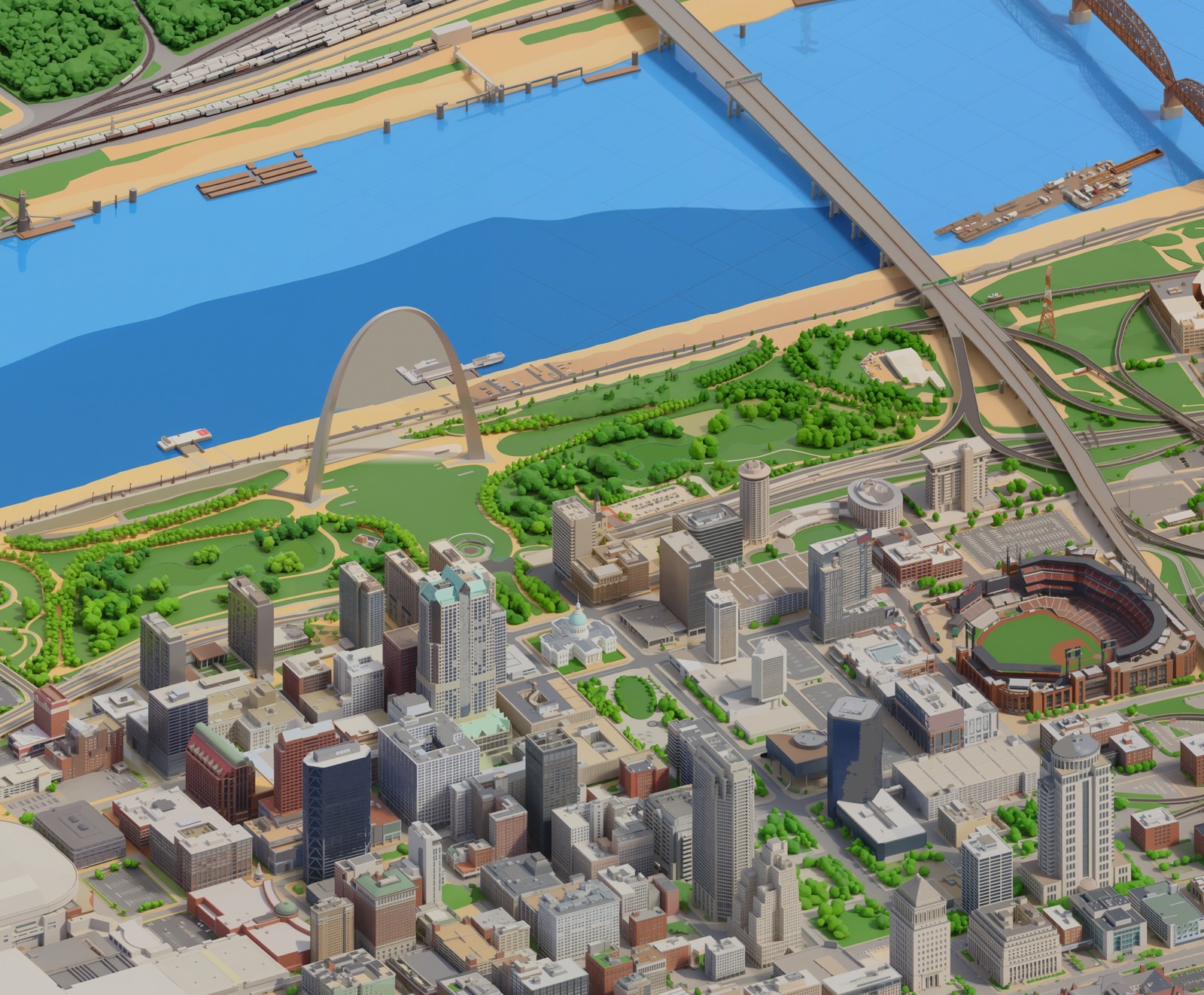
The starting point
The plan was simple enough on paper. Four steps: photograph the real city from an isometric angle, teach an AI to redraw each photo in a clean diorama style, stitch thousands of those redrawn tiles into one seamless map, and fix whatever the model got wrong. Easy to describe. A lot harder to actually pull off.
Photographing the city
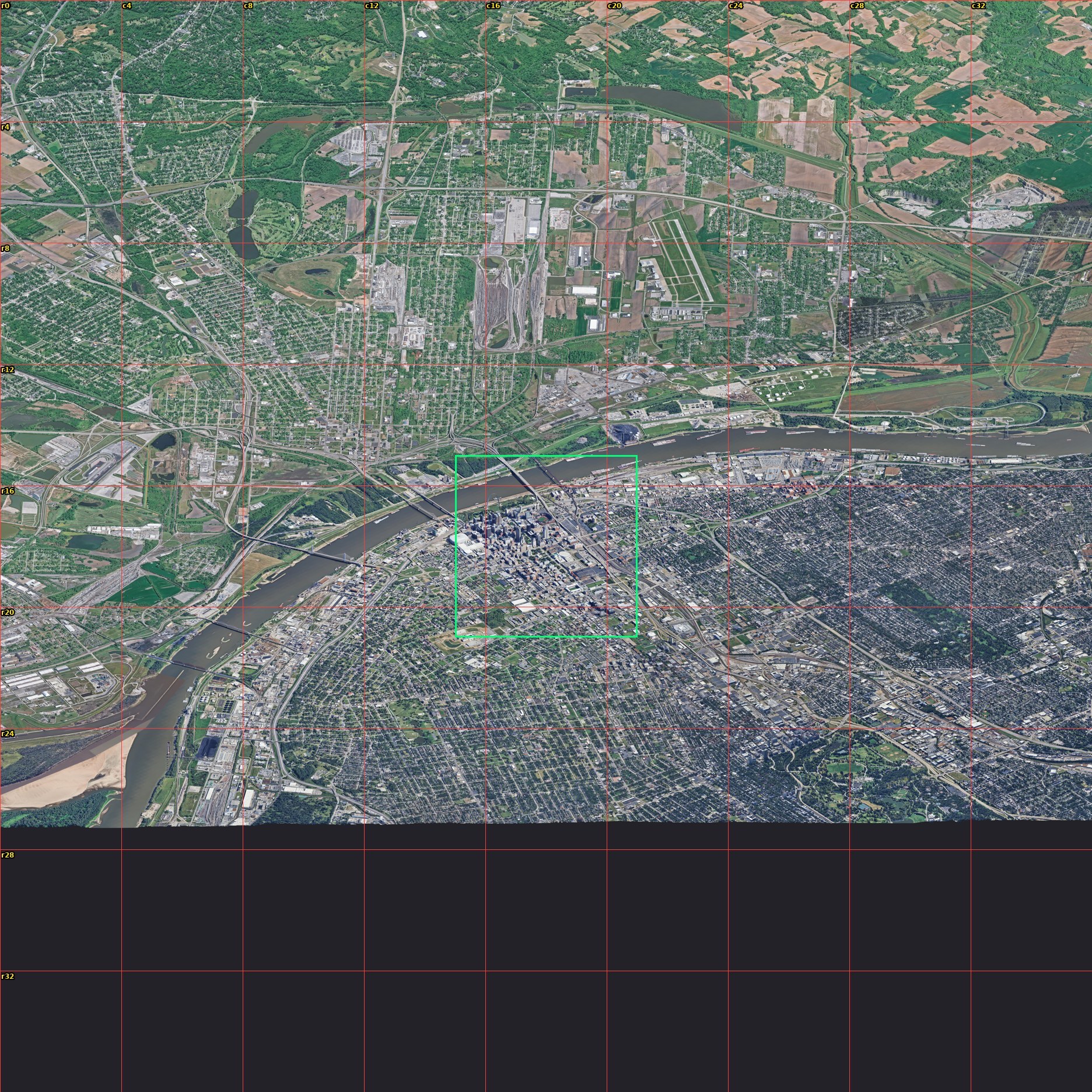
The base imagery is Google's Photorealistic 3D Tiles, the same mesh you fly through in Google Earth. I locked a camera to a 45-degree isometric angle and walked it across the city in a grid, one 384-meter square at a time, until the whole place was captured. One snag worth mentioning: the capture browser kept crashing because it was quietly rendering on the CPU. Pointing it at the actual graphics card turned an 80% failure rate into zero.
Teaching the style
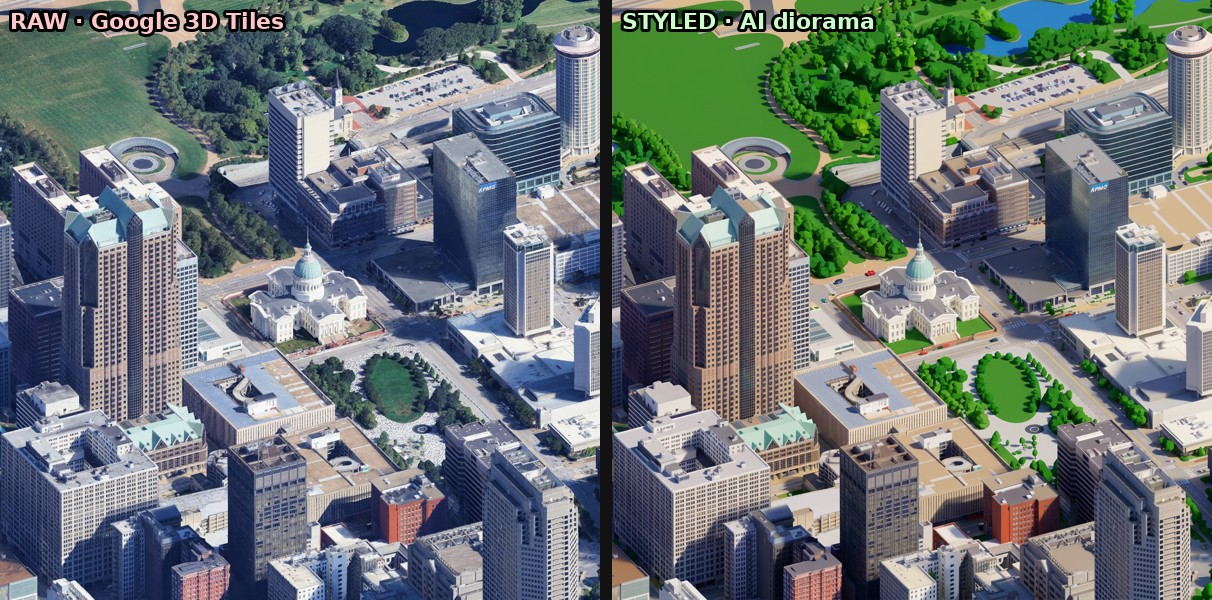
A raw 3D-tiles render looks like a photo, which is the opposite of what I wanted. To turn it into a diorama I needed a model that knew the look. I used Google's Gemini image model as a "teacher" to define the style — clean low-poly buildings, paved streets, grass only where grass belongs, saturated toy-model colors — and then fine-tuned a smaller, faster image-editing model on those examples until it could do the same conversion cheaply, thousands of times over.
The seamless walk
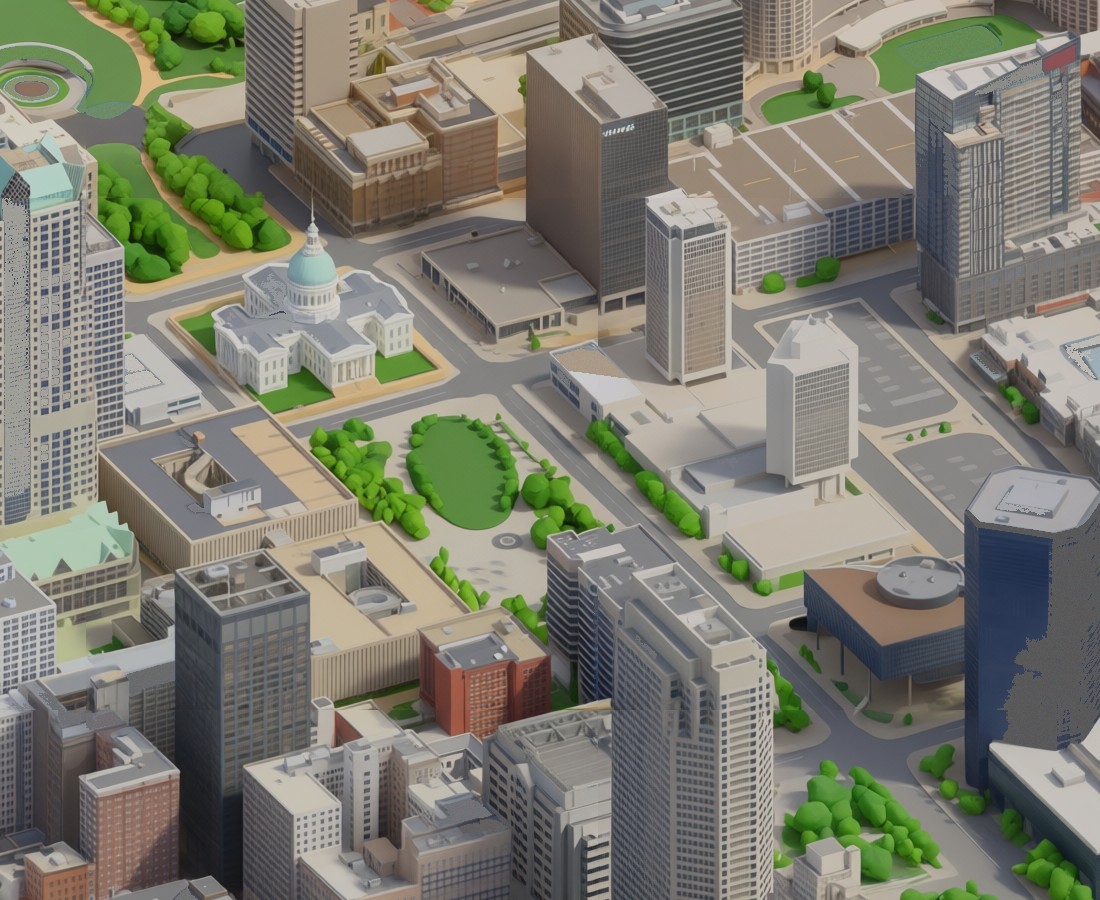
The real trick is the seams. If you stylize each tile on its own, the edges never line up, and a road or a riverbank jumps where two tiles meet. The fix is to build the map like a crossword: every new tile is drawn with its already-finished neighbors in view, so it has no choice but to continue them. Done right, the seams vanish. I ran this across a fleet of rented GPUs so a chunk of the city finishes in minutes instead of overnight.
The parts that fought back
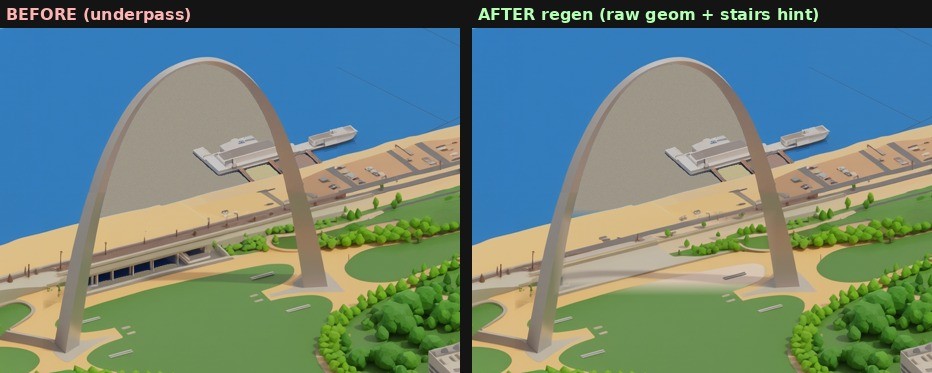
Plenty did. An early version came out looking like a realistic 3D render instead of a cartoon, because the style instructions leaned too hard on the word "realistic." A later one carpeted every parking lot in grass. The hardest single spot was the Gateway Arch itself, where the model invented an arched underpass where the real grand staircase to the river should be. So I built a tool that can regenerate any one tile in place, pull the real geometry back in, and blend it seamlessly, without ever re-rendering the rest of the map.
The river that wouldn't behave
Streets and rooftops the model handled. Open water it never understood. A flat sheet of river gives the AI nothing to grip, so it filled the Mississippi with detail that was never there: sandbars, little wooded islands, docks, the odd barge stranded on dry mud. An earlier downtown-only version of the map had drawn the river clean, and I had talked myself into a theory about why. I was sure I had once painted a faint checkerboard into the training water to give the model a texture to lock onto, and that the newer version had simply lost it.
So I wrote a small measurement to detect that checkerboard and ran it across every batch of training data I had. It had never been there. The real reason the old version looked clean was duller, and more useful to know: it had only ever been shown a narrow, tidy stretch of downtown river, while the newer one had been fed barges and sandbars and wooded banks until it concluded that a river is a busy place. The model was not malfunctioning. It had been taught the wrong thing about water.
The fix was to teach it again. Same city, same captures, except this time every patch of water in the training set carried that faint checkerboard, so the model would learn to read it as flat water and leave it alone. Two hours on a rented H100 did the retraining. The cost homework that came with it was its own small surprise: the providers that look cheaper by the hour stopped being cheaper once you counted the setup time and the slower cards, so the boring managed option won on the total bill, not the sticker price.
The wrong tool, three times over
While that retrain ran, I reached for a shortcut, and it cost me most of a day. Rather than teach the model, I would paint the river blue myself. I pulled the real outline of the Mississippi from OpenStreetMap, projected it onto the map, and flooded everything inside it. In muddy gray it looked passable. Then I switched the fill to a proper blue and watched all of downtown light up underwater.
The gray had been hiding a genuine bug. OpenStreetMap stores a big river not as one shape but as a loop assembled from dozens of separate boundary lines, and I had been closing each line into its own little polygon. One long arc of the riverbank, sealed off on its own, drew a giant triangle straight across downtown past Union Station. Muddy gray matched the concrete closely enough that the error stayed invisible; blue gave it away in an instant. Stitching the boundary lines back into a single proper loop drained downtown.
The next version erased the bridges and the Arch. My step for removing leftover sandbars had been growing the water outward into anything nearby that was tan and flat, and the Arch grounds and the bridge approaches are tan and flat. A later version that protected the bright bridge decks left pale seams across the open water. A version that fixed those swallowed the lakes in Forest Park. Every repair broke something that no rule about color or shape would ever have filed under water.
That is the lesson worth keeping. Painting water by geometry cannot tell a bridge from a river, because to a mask both are just regions on a grid. The model can, because it knows what it is drawing. The retrained model, the unglamorous answer I had skipped to save a few dollars, draws the river clean and keeps the bridges, the Arch, and the barges, because it is rendering a place instead of filling a shape. I deleted the shortcut and went back to it.
Under the hood
For anyone who wants the actual parts list: the styling model is a fine-tune of Qwen's image-editing model, trained with the open-source ai-toolkit and served on Modal's rented GPUs. The street geometry and the real river outline come from OpenStreetMap. The finished map is sliced into a deep-zoom pyramid and served through OpenSeadragon, the same viewer that libraries use for scanned manuscripts, which is why you can pan and zoom a half-gigapixel image without the browser choking. The hand-fixing, the masks and flood-fills and the river-outline math, is plain Python with NumPy and SciPy.
And the mistakes, collected in one place, because they did the real teaching. Do not trust a memory you have not measured; the checkerboard I was certain I had made never existed. Do not let a color choice hide a bug; muddy gray masked a broken river outline for hours. Read the data format before you lean on it; a river turned out to be a loop of separate lines, not one tidy shape. And when a problem keeps fighting back through fix after fix, stop and ask whether you are holding the wrong kind of tool. Three rounds of clever masking lost to the dull option of retraining the model, because only the model ever understood the difference between a bridge and the water running under it.
Redrawing one block at a time
The map is not one giant picture. It is a grid of square tiles, and that turned out to be the most useful thing about it. When a block came out wrong, a melted intersection or a roof the model lost its nerve on or a stretch of river painted as parking lot, I did not have to rebuild the city. I built a small tool that lets me point at the offending block, lift just those tiles out of the map, send them back through the image model to be redrawn against the same style prompt, then stitch the fresh tiles into place and blend the seams.
The redraw itself runs through Grok's image editor, driven by a headless browser standing in for a person dragging a file onto the website, because that was the cheapest way to get an image-to-image pass while the trained model was still cooking. A short priority list decides what gets re-rolled first, the worst eyesores before the merely imperfect, and every run keeps the tiles already confirmed good, so a fix never costs me the parts that already worked. It is the same idea as the game that builds itself: small reversible tile-sized changes, each one checked before the next, so the map keeps getting better without ever starting over.
Hiding 429 things in it
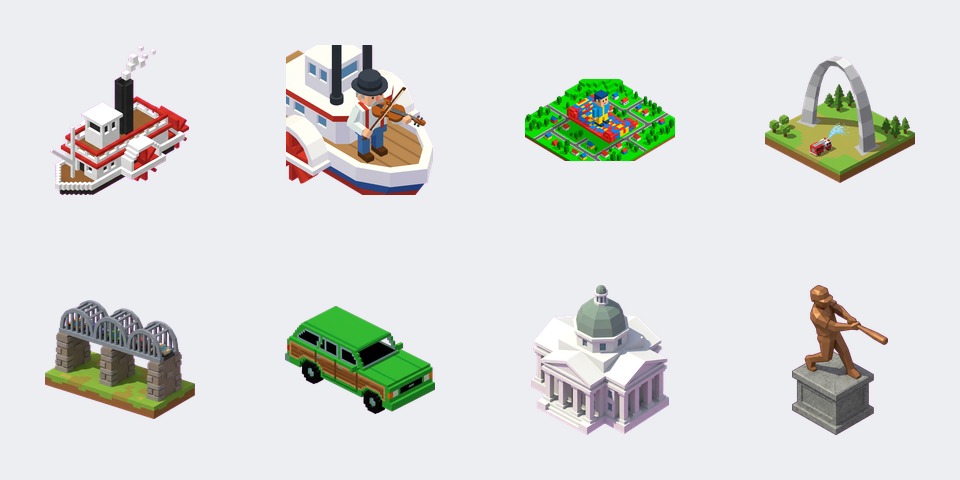
With a map in hand came the fun part. I pulled together 429 St. Louis references — toasted ravioli, the Rally Squirrel, Chuck Berry's duckwalk, Beatle Bob, the floating McDonald's, the 1904 World's Fair, Curt Flood's stand, the mounds at Cahokia — researched by a swarm of AI agents and then hand-augmented with the deep-cuts only locals would know. Each one is a tiny drawn sprite sitting on the map. Find it, click it, and a card tells you the story behind it.

What it cost, honestly
This was not free, and the economics were their own puzzle. Generating a tile costs a fraction of a cent, but a whole city is thousands of them, so the bill adds up. The surprising lesson was that the obvious shortcuts don't help: cramming several copies of the model onto one big GPU gave no speedup, and the cheapest GPU per hour was often the most expensive per image because it was so slow. The honest cost of rebuilding the full city in this style lands somewhere around the price of a nice dinner, and most of the work since has been hunting for the cheapest reliable way to do it.
≈ one nice dinner
full-city rebuild · thousands of tiles · cheapest reliable GPU wins
Where it's going
Right now the map covers downtown and the core. The plan is to keep adding to it a tile at a time — the neighborhoods, the wards, the whole City of St. Louis — and eventually other cities, the ability to rotate the view, and a daily egg-hunt you can actually keep score in. The whole thing is built to grow, so it never has to start over.